



Specifications
Full technical breakdown of the OX 2.0 wireless electronic shifter and rear derailleur kit.
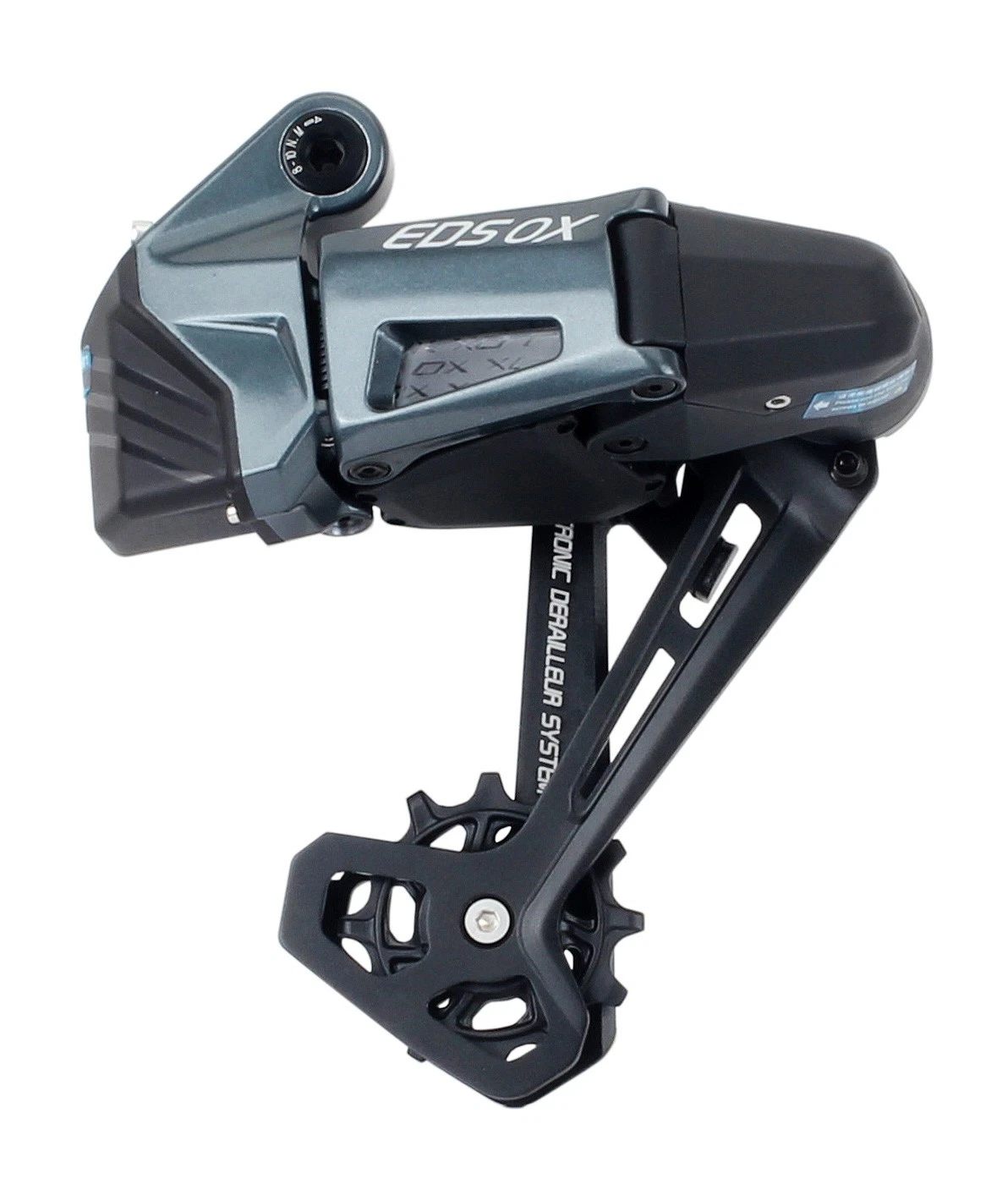
Replaceable Derailleur Cage
The cage plate is secured by hex socket screws — swap it in minutes with a 3 mm hex key. Use a professional-grade precision hex key (RC / model aircraft type recommended) — a cheap or worn key will strip the small screws instantly. Change cage length, replace a damaged cage after a crash, or upgrade when new cage options become available.

Trail Crashworthy
Bent cage after a rock strike? Replace just the cage — not the whole derailleur. Far more cost-effective than replacing the entire unit.
Flexible Configuration
Switch between 58 mm (short), 75 mm (medium), and 93 mm (long) cages as your drivetrain changes — one derailleur body, multiple setups.
Which Cage Length is Right for You?
The OX 2.0 comes in three cage lengths, each engineered for a specific cassette range and riding style. Choosing the wrong cage will compromise shift quality and chain tension — confirm your largest sprocket before ordering.
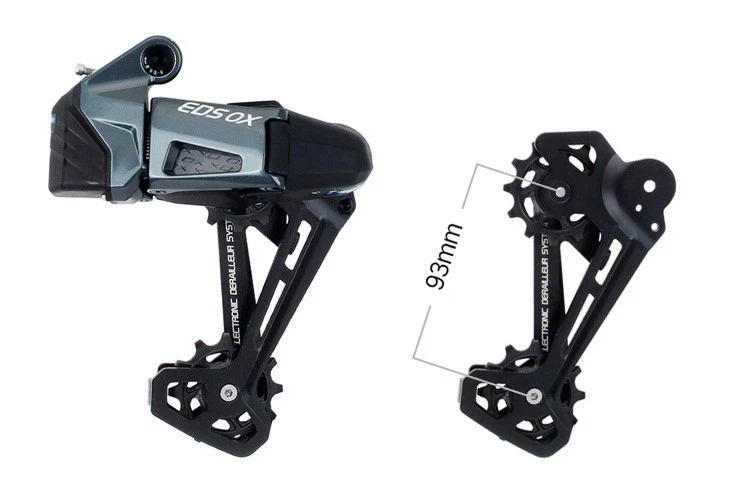

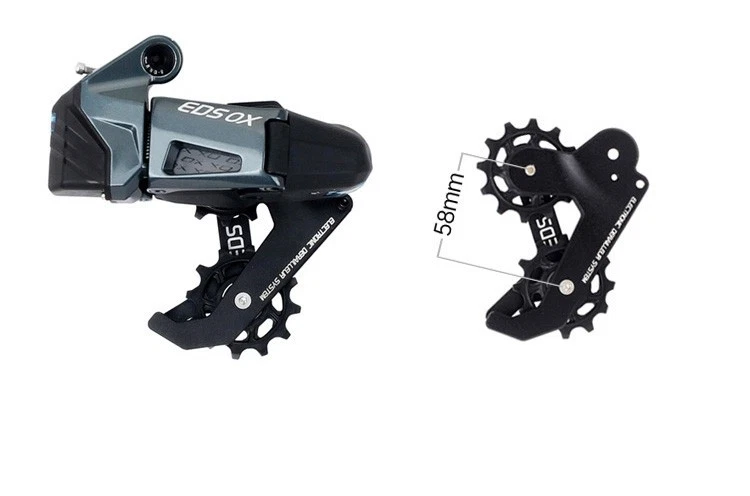
Still not sure? Check your cassette's largest sprocket: up to 32T → Short · 34–42T → Medium · 46T and above → Long. When in doubt, send us a message before ordering — we're happy to help you pick the right one.
What's in the Box
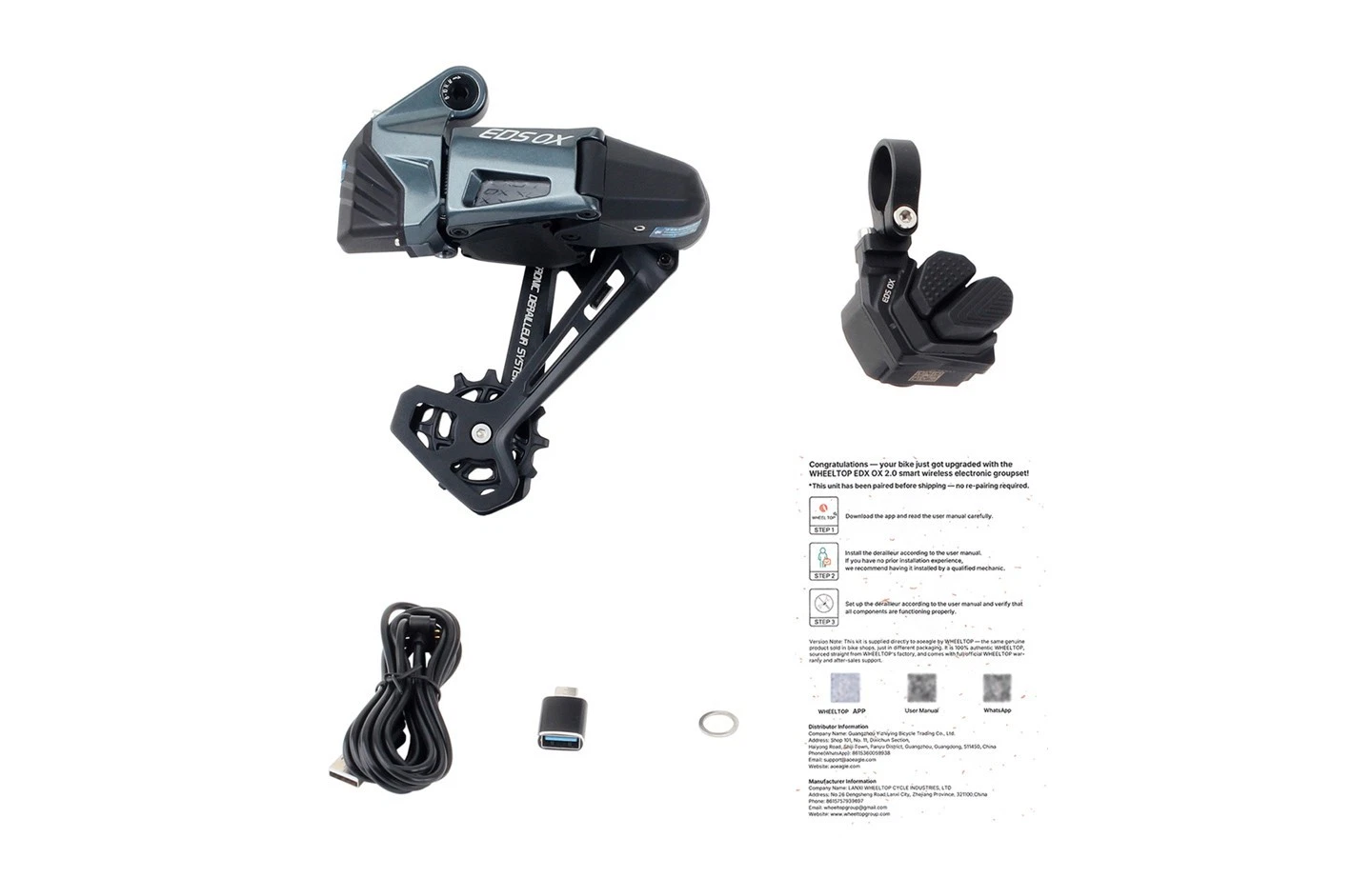
×1
OX 2.0 Wireless Electronic Rear Derailleur
×1
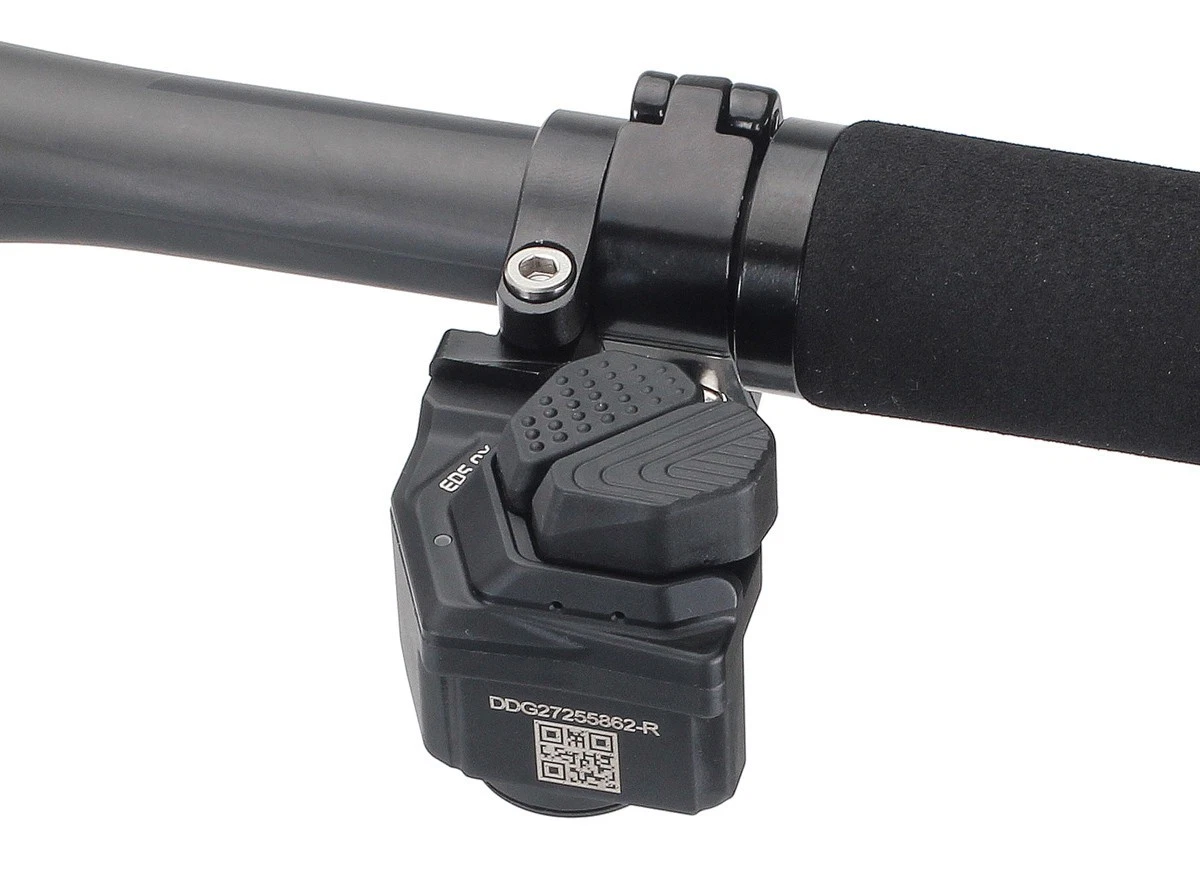
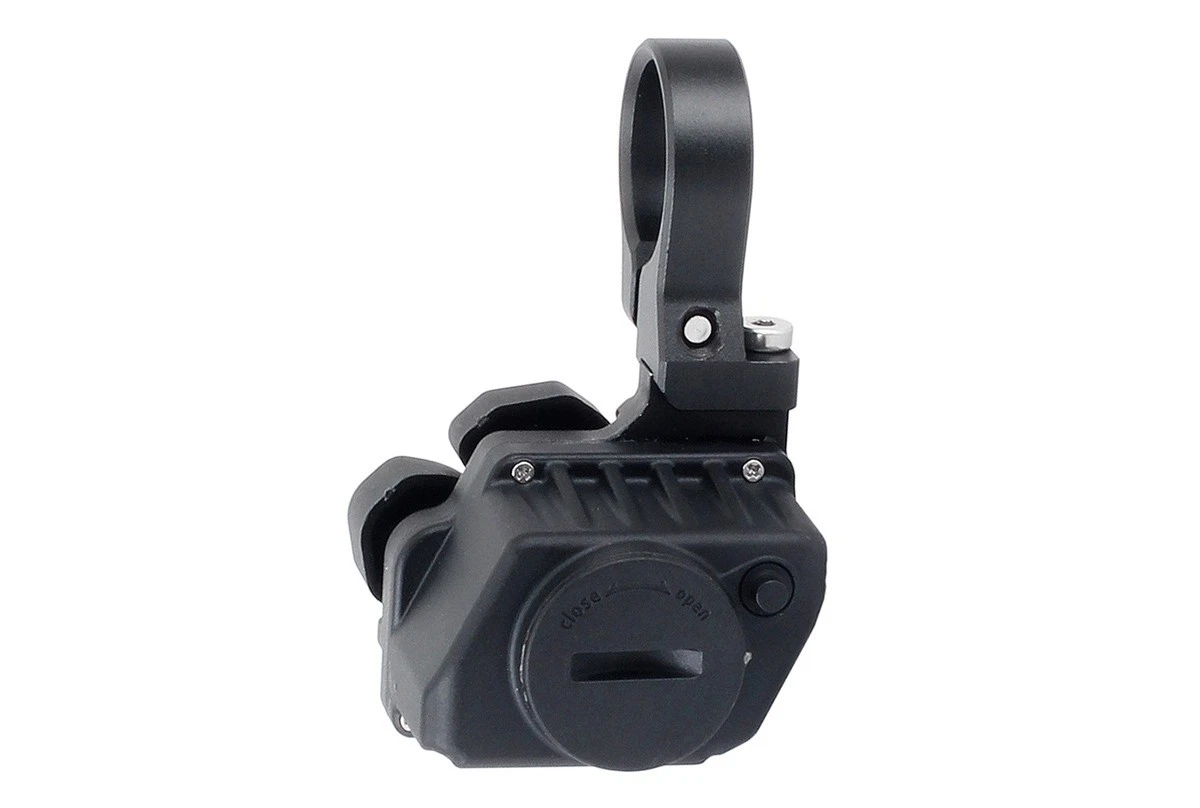
Wireless Button-Style Shifter
×1
Magnetic Charging Cable
×1
Type-C Adapter
×1
Special Tailhook Backup Washer
×1
User Manual / Quick-Start Guide
Compatibility & Buyer Notes
Please review the following before purchasing to ensure correct fitment.
1x Drivetrain Only
Designed for single-chainring setups. Not compatible with double or triple chainring systems due to direct-mount structure.
Choose the Right Cage Length
Verify cassette size before selecting cage version: 58mm (10-32T) · 75mm (10-42T) · 93mm (10-52T).
App-Based Setup Required
Initial calibration must be performed via the WHEELTOP app (free on iOS and Android) after installation.
Why Choose Aoeagle
More than just a groupset — every order comes with the Aoeagle difference.


Thank you for visiting our listing. If you have any questions before purchasing, please send us a message through eBay and we'll respond within 24 hours.


Jonathan Murnieks
This the Future of MTB Shifting? WheelTop EDS OX 2.0 Wireless Derailleur Review & Test!
I’m unboxing and testing the WheelTop EDS OX 2.0 wireless derailleur. It’s an affordable, super easy-to-install wireless system that supports 3 to 14-…

MC Cycles
Better than SRAM or Shimano? WHEELTOP EDS OX 2.0 Wireless MTB Groupset Review
To be honest, I’ve never used electronic shifting in my life, and I can’t believe I’ve been missing out. The WHEELTOP EDS OX 2.0 looks and feels incre…

Clint Gibbs
Only $399! WheelTop EDS OX 2.0 In-depth Review: Is This Wireless Drivetrain a Real Game Changer?
I put the WheelTop EDS OX 2.0 wireless system to the test. It handles 3 to 14 speeds effortlessly and boasts a battery life that honestly makes my SRA…

RunBikeMike
Only $399! WHEELTOP EDS OX 2.0 Review: A Real Threat to SRAM AXS?
Stepping down from XTR? In this video, I’m testing the $399 WHEELTOP EDS OX 2.0 . I’ll show you its new look, the insane 14-speed compatibility, and h…

Jared Hoff
WHEELTOP EDS 2.0 Shifting Issues? How to Fix Shifting Under Load via Initial Calibration
Why was my WheelTop EDS 2.0 skipping on climbs? I headed to the bike shop to troubleshoot. Turns out, the key is in the individual gear calibration. I…

Ride With Roy (and Wendy)
Titanium Bike Build: Gloria All-Road Unboxing & WHEELTOP EDS GeX First Impressions
In this unboxing, I walk through the components for a custom titanium Gloria All-Road build, featuring the WHEELTOP EDS GeX wireless 1x system. As a l…

Don't Get Dropped Cycling
WHEELTOP EDS GEX Unboxing: The Ultimate 1x Wireless Gravel Groupset Guide & Pairing Tutorial
WHEELTOP is back with the EDS GEX 1x wireless groupset, and it’s a gravel game-changer. From the 14-speed compatibility to the vastly improved brake c…
For EDS OX, can I install a double chainring?
No. Due to its direct mount structure, the rear derailleur is only compatible with a single chainring system.
How to pair the app?
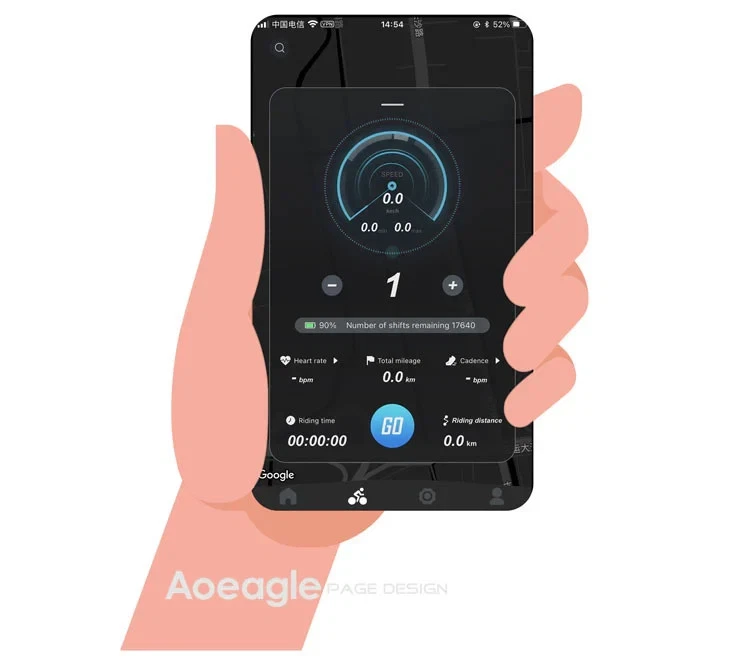
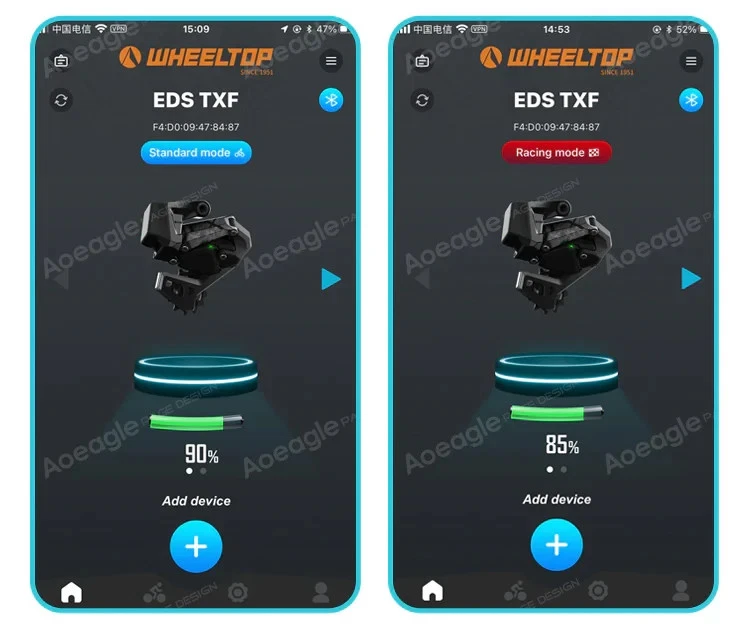
On the home page, click the [Add Device] button. The APP will automatically navigate to the nearby devices list page. Locate your device's MAC address, then click to add and bind it. After successful binding, you will need to name the device.
Step 1: Click the Add button on the home page Step 2: Turn on your phone’s Bluetooth to search for nearby devices
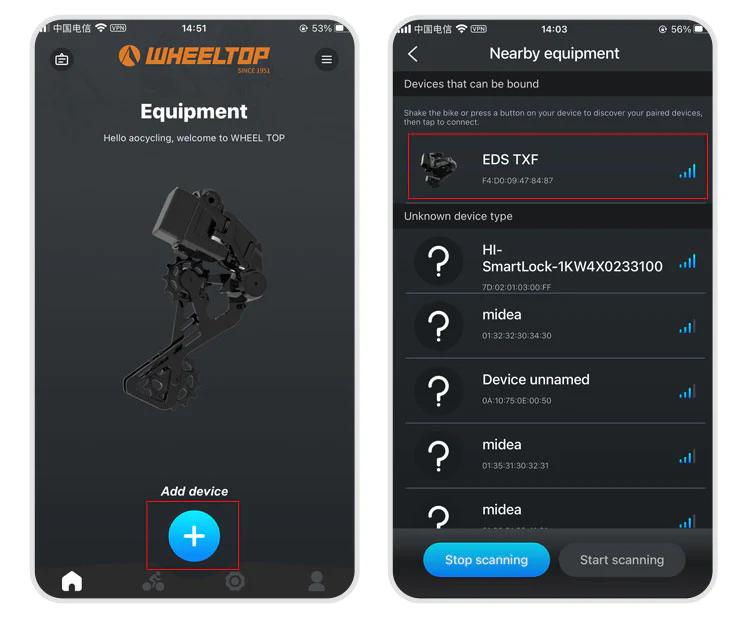
Step 3: Select nearby bindable devices to add Step 4: Name the device
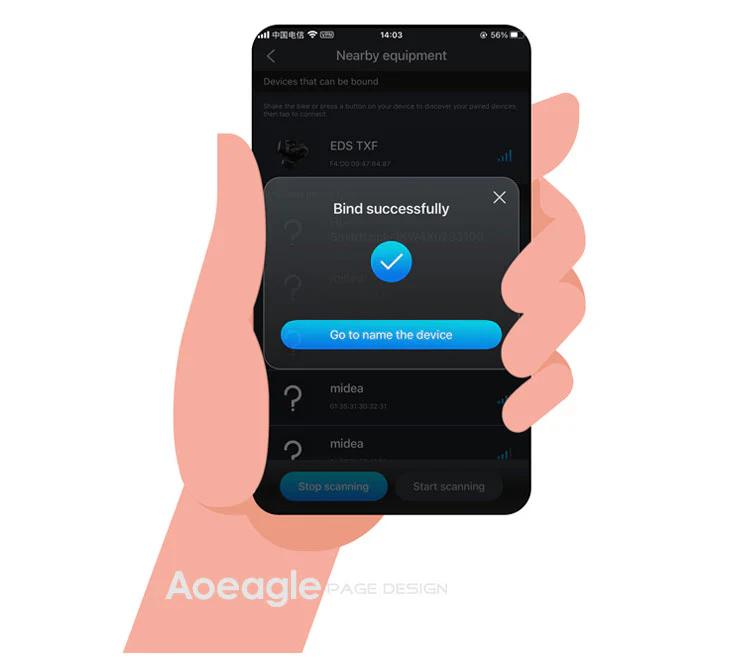
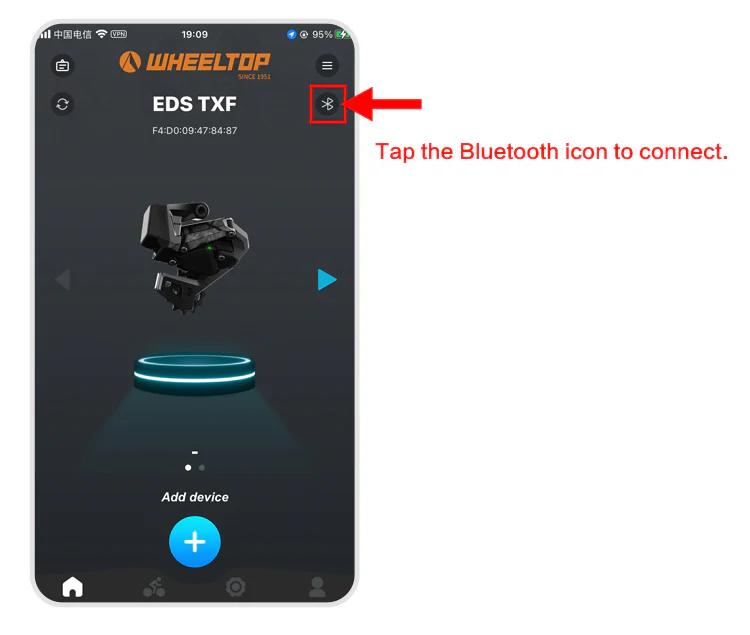
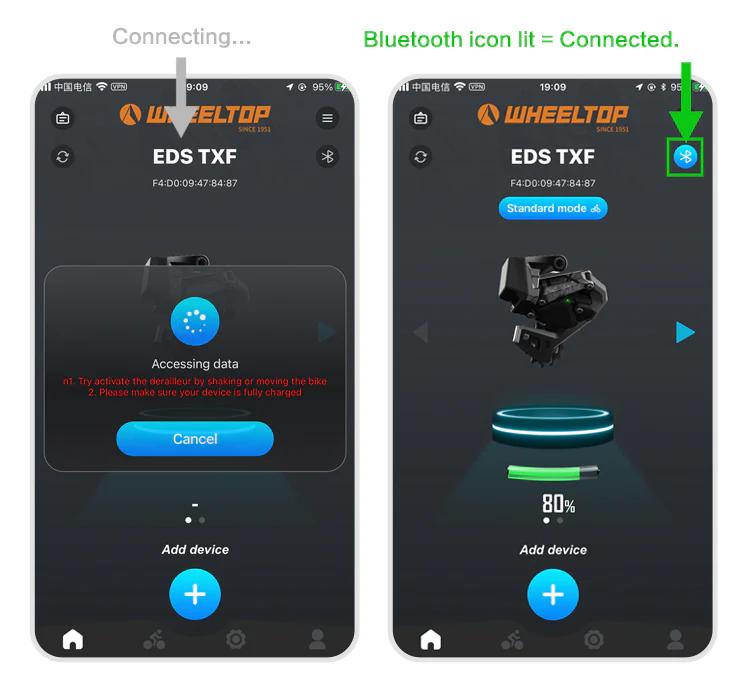
One last thing — and this is where a lot of users get stuck.
To connect, you need to tap the Bluetooth icon in the app. Before doing so, make sure the derailleur hasn't gone into sleep mode. If it has, just give the derailleur a tap or shake the bike to wake it up. Once the connection is successful, the Bluetooth icon will light up — and you're all set to start adjusting your derailleur.
How long is the warranty?
We offer a 14-day return & refund policy and a 1-year warranty.
See our warranty page for full details.
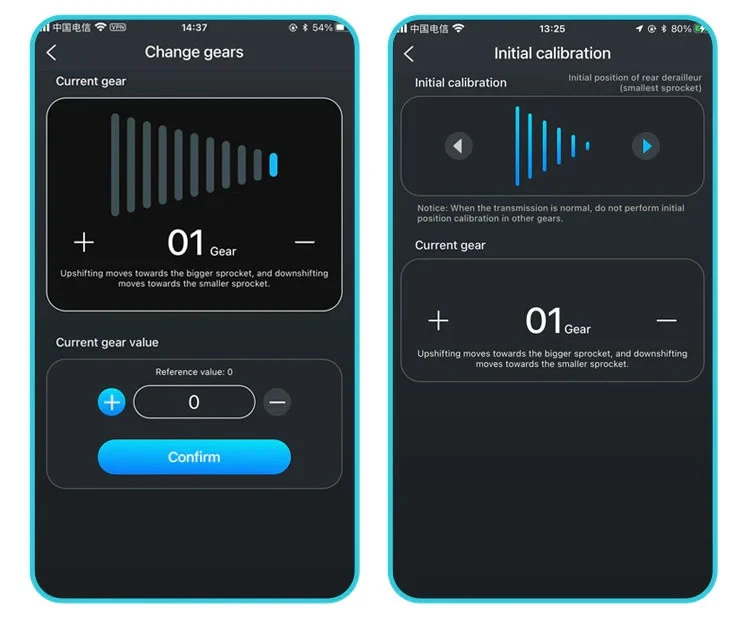
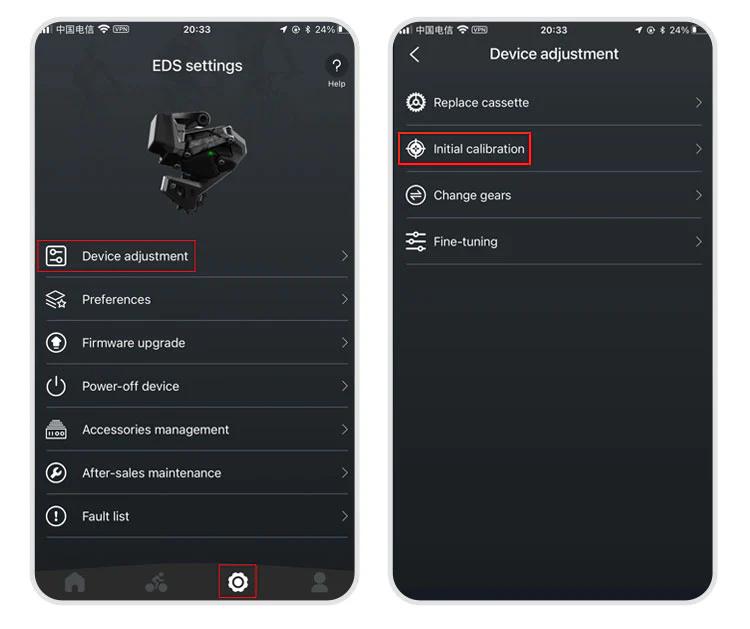
How to do the initial calibration?
For EDS TX series:
- Set the front derailleur to the largest sprocket
- Set the rear derailleur to the smallest cog position
- Open the WHEELTOP App → Initial Calibration
Use "<" or ">" buttons to align the RD pulley with the smallest cog
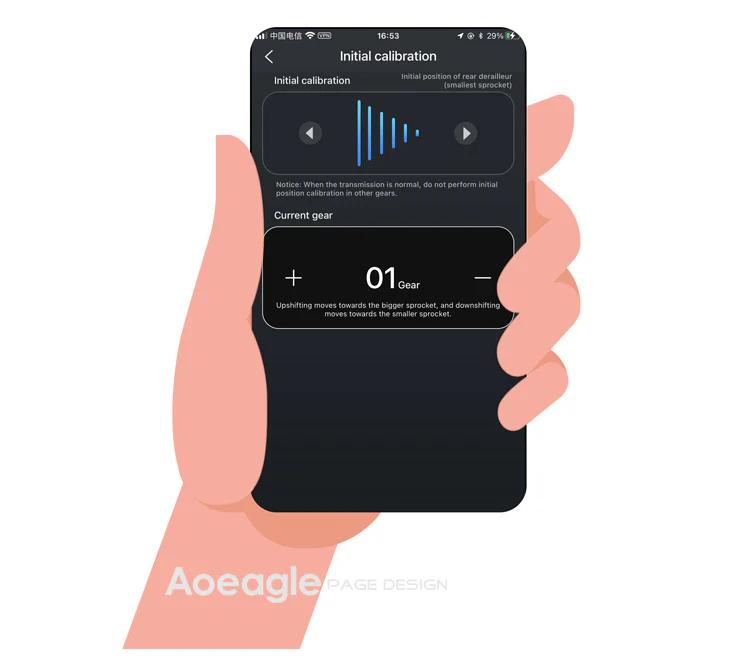
Exit the initial calibration page
For EDS GeX and OX series: Same steps but skip step 1 (no FD adjustment required).
What cassette speeds and chain brands are compatible with the WHEELTOP EDS-OX2?
The EDS-OX2 supports 3 to 14-speed cassettes with sprockets up to 32T, making it versatile across most modern groupsets. It works with any standard bicycle chain, regardless of brand, since the derailleur uses electronic shifting rather than cable tension.
How difficult is it to install the WHEELTOP EDS-OX2, and what tools do I need?
Installation is straightforward with the bolt-on mounting system compatible with most modern frames—typically requiring only a 4mm or 5mm hex wrench and 15-20 minutes. The WHEELTOP app provides step-by-step calibration guidance once mounted, eliminating complex barrel adjuster tuning.
How long does the EDS-OX2 battery last, and how do I charge it?
The WHEELTOP EDS OX2.0 features an **800mAh replaceable battery** that delivers approximately **24,000 shifts per charge** — equivalent to 60+ hours of typical trail riding. Battery level is displayed in real-time via the WHEELTOP Bluetooth app. Charging uses the proprietary **magnetic charging port** (not USB-C); simply attach the magnetic cable and a full charge takes about 2 hours. Unlike Shimano Di2 or SRAM AXS, the OX2.0 battery is **user-replaceable** — remove 4 screws with a 2mm hex key to swap it out.
How do I pair and set up the WHEELTOP EDS-OX2 app, and can it receive firmware updates?
Pairing is simple: download the WHEELTOP app on iOS or Android, enable Bluetooth, and follow the in-app calibration wizard to sync your derailleur. The app enables over-the-air firmware updates, gear position tracking, and battery monitoring, all managed directly from your smartphone.
How does the WHEELTOP EDS-OX2 compare in price and features versus Shimano Di2 or SRAM AXS?
At approximately $339, the EDS-OX2 undercuts Di2 and AXS systems by $400-800 while offering wireless shifting without cables, Bluetooth app integration, and ANT+ compatibility with Garmin/Wahoo devices. While premium brands offer broader component integration, WHEELTOP's electronics deliver comparable shift speed and reliability at a fraction of the cost.
Is the WHEELTOP EDS-OX2 waterproof and durable for wet or muddy riding?
The aluminum alloy 58mm short cage derailleur is sealed against moisture and built to withstand harsh conditions comparable to cable-actuated systems. The wireless design eliminates cable corrosion, and the sealed electronic components maintain reliability in rain, mud, and snow—perform regular cleaning to extend service life.
Where can I buy the WHEELTOP EDS-OX2, and what's your warranty coverage?
The WHEELTOP EDS-OX2 is available exclusively on Aoeagle's eBay store with worldwide shipping and a comprehensive full warranty covering defects and electronic failures. Visit our eBay storefront today to order your wireless shifting system and upgrade your bike with cutting-edge technology backed by Aoeagle's customer support.
How do I power off and power back on my WHEELTOP EDS device?
In the latest version of the WHEELTOP app, swipe left on the rear derailleur's device card to bring up the **Disconnect / Power Off** menu, then tap **Power Off**. This is useful for shutting the system down during shipping or storage. To power the device back on, plug in the magnetic charging cable for **2-3 seconds** — once the charging indicator light turns **red**, the device powers on and reactivates.


