

Request a stock update
Questions before you buy? Email us · We reply within 6 hours.








Reviews
Feedback from verified purchases in our eBay store.
Photos from buyers
-
Very happy very simple setup all up and running the gear changes really smoothly what can I say other than I'm pleased that I chose this groupset I have put the groupset on my fort aero from 2005 .. it is really amazing..
WHEELTOP EDS TX Wireless Electronic 2x11s Groupset Full Kit Road Bike Rim Brake -
Would buy again from this seller great response and replies. Great communication!
WHEELTOP EDS OX 2.0 MTB Wireless Electronic Groupset, 93mm Long Cage, 7-13s -
Very easy transaction, quick shipping, great product. I used the GeX set to create a monster gravel bike from an old Cannondale Flash frame, with Zrace flat mount to post mount adapters. Very pleased with the result. The set came in a nice branded wooden box: nice touch. I didn't even need to bleed the brakes or calibrate the mech, just selected Shimano 11sp. All good.
WHEELTOP EDS GeX 3-14 Speed Groupset Shifter, Derailleur & Hydraulic Disc Brake -
Very quick delivery and exactly as described
WHEELTOP EDS GeX 1x12 Speed Gravel Bike Hydraulic Disc Brake Wireless Groupset -
Ero scettico riguardo questo gruppo, ma una volta regolato bene funziona alla perfezione
WHEELTOP EDS GeX Gravel Wireless Electronic Groupset 3-14s 52T Hydraulic Disc

WheelTop
How to Calibrate WHEELTOP EDS TX: Complete Electronic Shifting Fine-Tuning Guide
In this guide, I show you how to properly fine-tune your WHEELTOP EDS TX electronic shifting system using the official app. By adjusting the B-tension gap to…
Pedaler
Wheeltop EDS TX: The Best Budget Wireless Groupset? 2-Month Real-World Review
Forget the big-brand tax! After two months and over 1,000km, the Wheeltop EDS TX has proven to be a savior for rim-brake enthusiasts and budget-conscious…
Dave Noakes
The Ultimate Upgrade for Old Rim Brake Road Bikes: Wheeltop EDS TX Wireless Electronic Groupset In-depth Review & Installation Guide
Hey everyone! Today we're doing something big—fully modernizing this traditional 10-speed rim brake road bike. Finding a wireless electronic groupset that…
Pedaler
Did This Chinese Groupset Fail? | WheelTop EDS TX 1-Year Long-Term Review (12,000km)
Stop asking if it’ll break. After 12,000km, the WheelTop EDS TX is still standing strong. It’s handled pro-level efforts without a single hiccup. Yeah, the…
Dave's Cycling
Goodbye Cables! Full Road Bike Conversion from Shimano Ultegra to WHEELTOP EDS TX Wireless Shifting
Want to breathe new life into your road bike? Join me as I install the WHEELTOP EDS TX ! I’ll show you how to ditch those annoying shifter cables and use the…
Simone Montanini Bici
I Tested a €739 Electronic Groupset! WheelTop EDS-TX Deep Review: Can it Really Rival Shimano and SRAM?
I unbox and field-test the WheelTop EDS-TX electronic groupset. Priced at approximately €739, this system is impressively lightweight (beating SRAM Force) and…
Blackwater Cyclist
Is It a Game Changer? WHEELTOP EDS TX Full Review: The 3-14 Speed Wireless Groupset
Disrupting the market? In this video, I’m testing the WHEELTOP EDS TX , the groupset that works with 3 to 14 speeds. I’ll show you how it handles mixed-brand…
Pedaler
[Long-Term Review] Stop Overpaying for Big Brands? Wheeltop EDS TX Real-World Test: Is it Actually Good?
Is Chinese wireless tech actually a contender? After 6 months of crushing Greek climbs, Pedaler proves the Wheeltop EDS TX is no joke. Featuring top-tier…
oz cycle
WHEELTOP EDS TX Installation Guide: Step-by-Step Setup from Hardware to App Sync
Ready to go wireless? Join me as I install the WheelTop EDS TX on a road bike. I’ll guide you through the entire setup: replacing your old mechanical parts,…
David Arthur - Just Ride Bikes
Shimano Finally has a Competitor! WheelTop EDS TX Wireless Groupset Reviewed: The Ultimate Retrofit Upgrade!
In this review, I put the WheelTop EDS TX wireless groupset to the test by retrofitting it onto an older 10-speed bike. Its standout feature is the…
Jamey De Neve 🚲🛠️
WHEELTOP EDS TX Installation Guide & Troubleshooting: Giant Defy Electronic Shifting Setup
In this detailed setup of the WHEELTOP EDS TX on a Giant Defy, I tackle the complexities of integrated cabling and front derailleur clearance issues. By…
The Cycle Workshop
Wheeltop EDS-TX Review: Is This Budget Wireless Groupset a Real Shimano Di2 Killer? (4-Month Long-Term Test)
After 4 months of abusing the WHEELTOP EDS-TX on my gravel hack, I’m sold. Despite some stiff hood rubbers and minor bolt rust, the hardware is over-engineered…
Don't Get Dropped Cycling
WHEELTOP EDS TX Review: The Ultimate Wireless Electronic Shifting Guide & First Ride Test
Ditching cables for the WHEELTOP EDS TX was the best upgrade I’ve made. The installation is clean, the carbon levers feel great for smaller hands, and the…
Which brand of cassette does it support?
The app allows you to customize speed and gear spacing, so in theory it supports 3–14 speed cassettes from all brands.
How to pair the app?
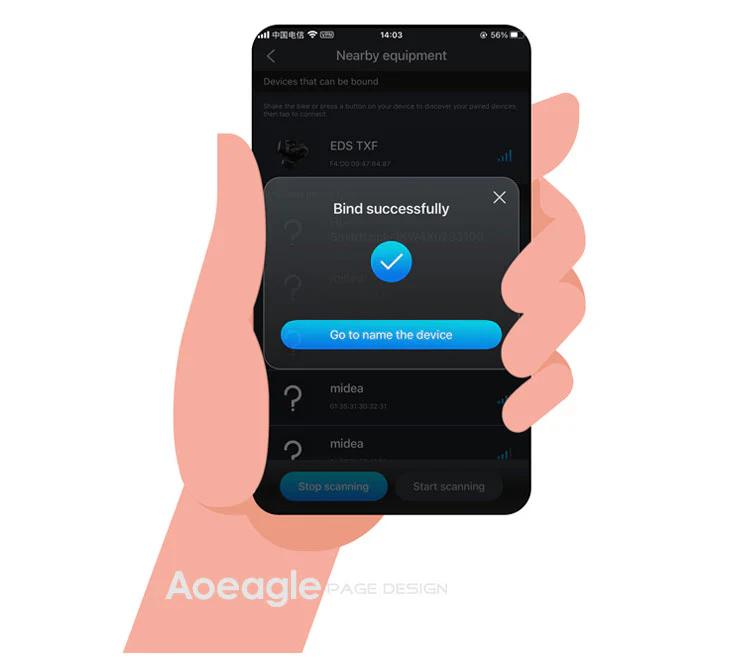
On the home page, click the [Add Device] button. The APP will automatically navigate to the nearby devices list page. Locate your device's MAC address, then click to add and bind it. After successful binding, you will need to name the device.
Step 1: Click the Add button on the home page Step 2: Turn on your phone’s Bluetooth to search for nearby devices
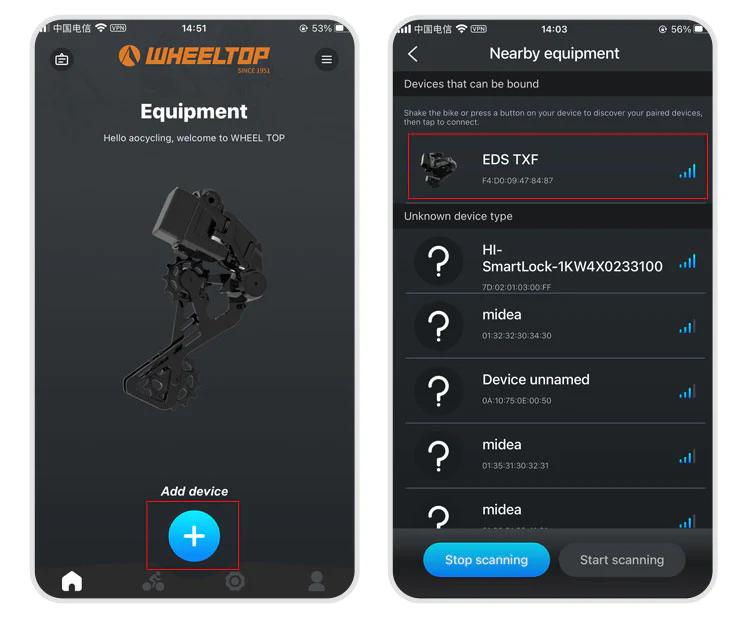
Step 3: Select nearby bindable devices to add Step 4: Name the device
One last thing — and this is where a lot of users get stuck.
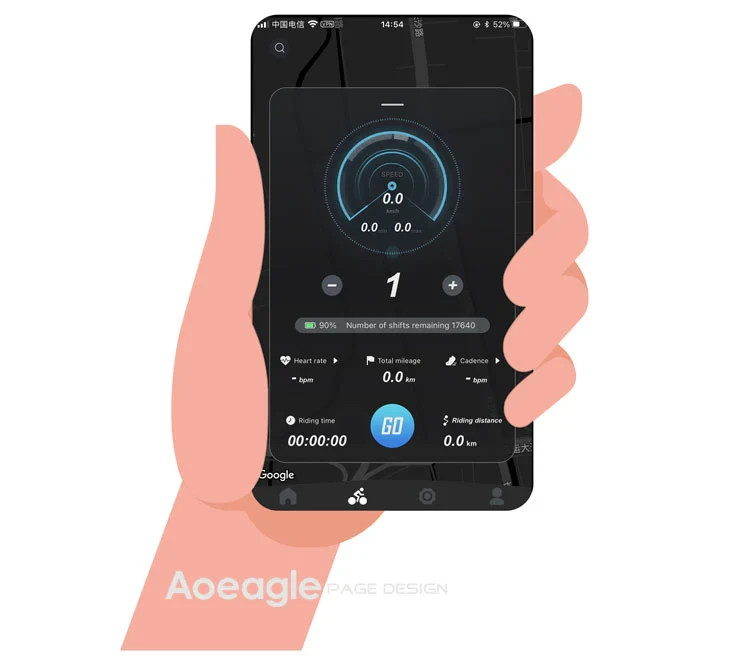
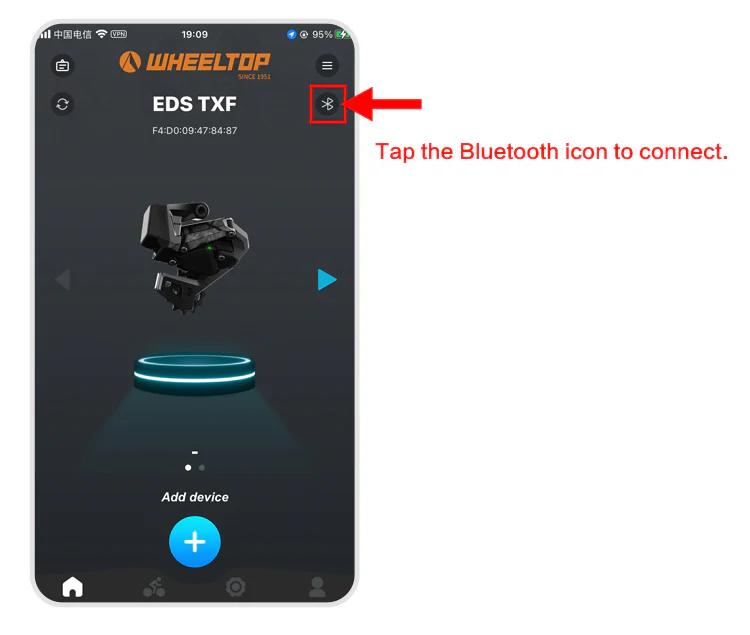
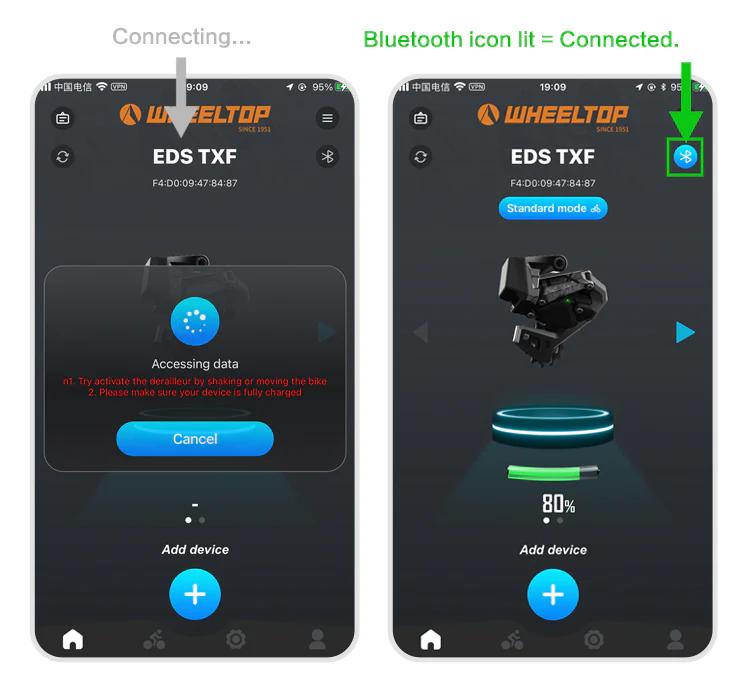
To connect, you need to tap the Bluetooth icon in the app. Before doing so, make sure the derailleur hasn't gone into sleep mode. If it has, just give the derailleur a tap or shake the bike to wake it up. Once the connection is successful, the Bluetooth icon will light up — and you're all set to start adjusting your derailleur.
How to do the initial calibration?
For EDS TX series:
- Set the front derailleur to the largest sprocket
- Set the rear derailleur to the smallest cog position
- Open the WHEELTOP App → Initial Calibration
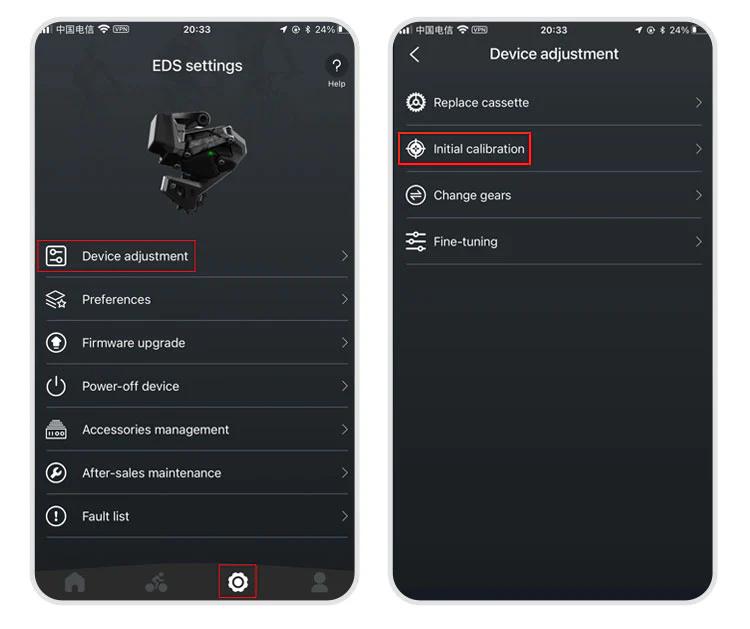
Use "<" or ">" buttons to align the RD pulley with the smallest cog
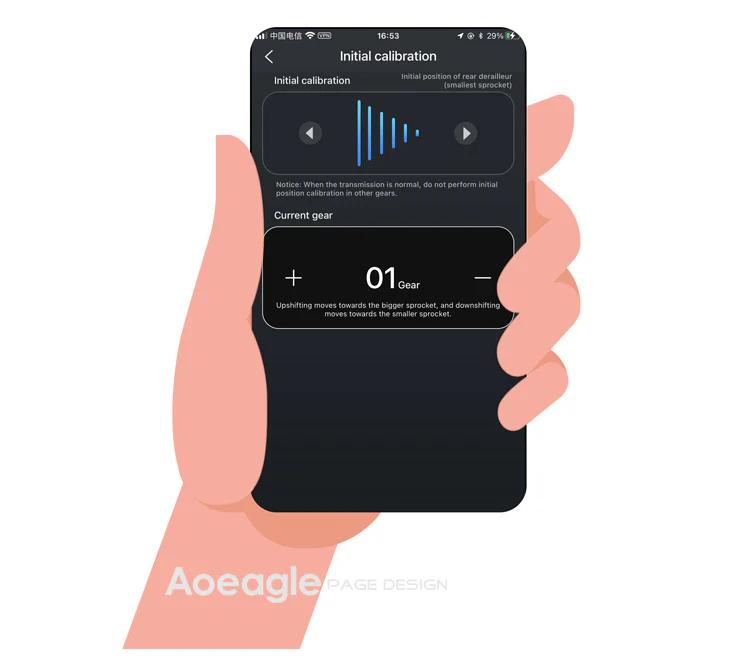
Exit the initial calibration page
For EDS GeX and OX series: Same steps but skip step 1 (no FD adjustment required).
How to download and register the WHEELTOP app?
WHEELTOP APP download:


After successful registration, log in to the app.
You can also download the APK file directly: APK Download Link
For first-time use, please register with your email.
How to perform a factory restore?
It works like a factory reset for gear values. Use it when gear values have been misadjusted to restore the preset values.
Path: APP → Settings → Device-adjustment → Fine-tuning → "Factory-restore" button at the bottom.
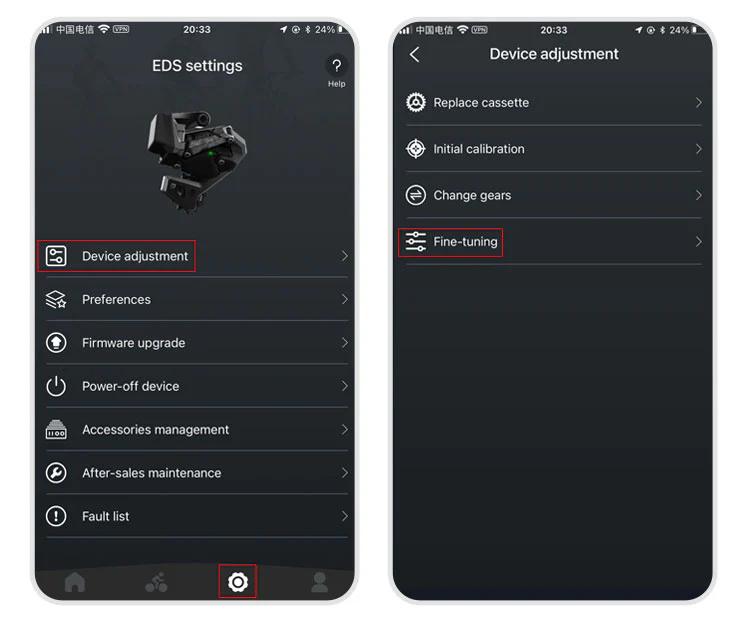
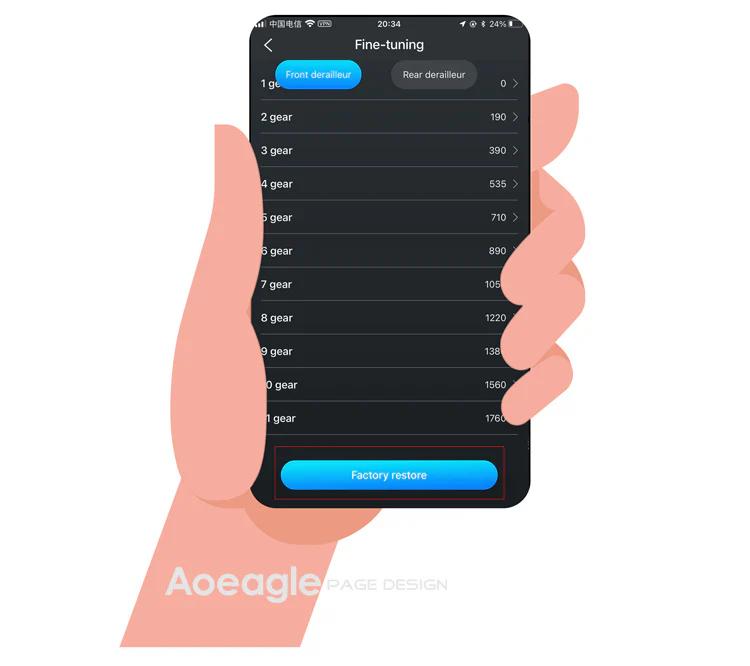
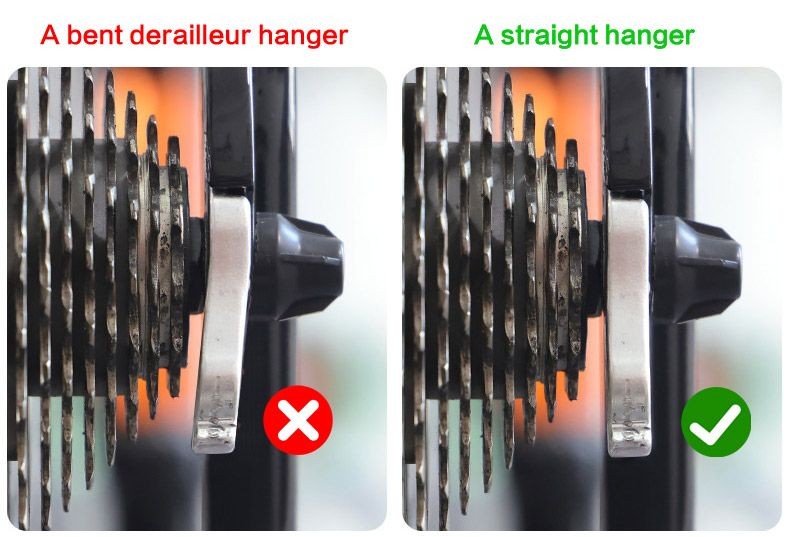
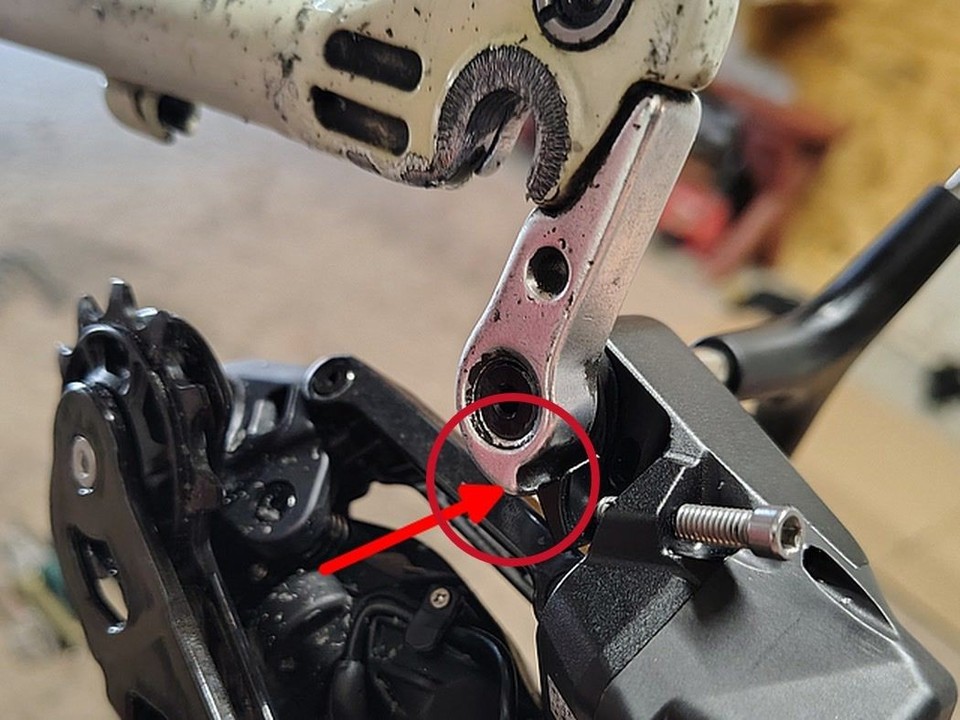
The rear derailleur position is inconsistent with the APP display
1.Go to the initial calibration page in the APP 2.Select the rear derailleur (upper section) 3.Press the right arrow (▶) and hold until the RD moves back to the smallest cassette
More questions (6)
The device cannot shift immediately after not riding for a long time
1.Charge the system — a low battery can delay activation 2.Gently shake the frame — this helps wake up the rear derailleur more quickly
Can EDS be paired with bike computers?
Yes!EDS TX, OX2.0, and GeX can all be paired with bike computers.
How do I power off and power back on my WHEELTOP EDS device?
In the latest version of the WHEELTOP app, swipe left on the rear derailleur's device card to bring up the **Disconnect / Power Off** menu, then tap **Power Off**. This is useful for shutting the system down during shipping or storage. To power the device back on, plug in the magnetic charging cable for **2-3 seconds** — once the charging indicator light turns **red**, the device powers on and reactivates.

After pressing the shifter lever, the rear derailleur does not shift normally
1.Check the button indicator light: If there is no light, replace the battery and test again. 2.Check the light color: If the button is lit but not green (e.g. red or yellow), the device is not paired correctly. Re-pair following the manual.
What brake systems are compatible with EDS TX?
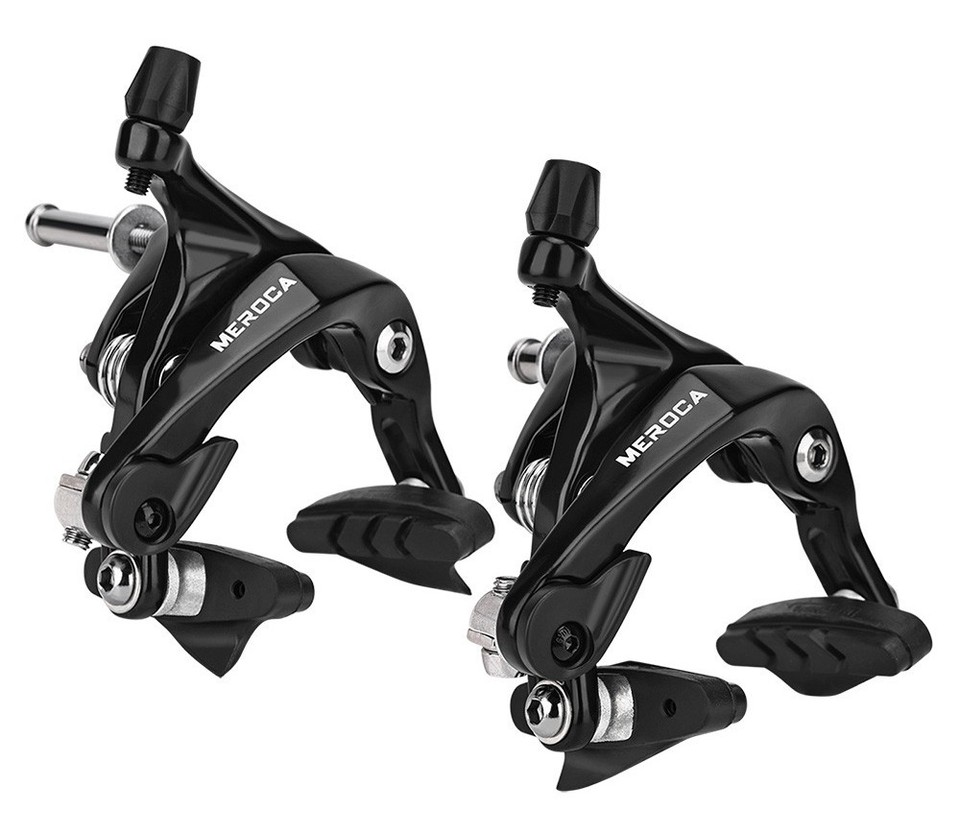
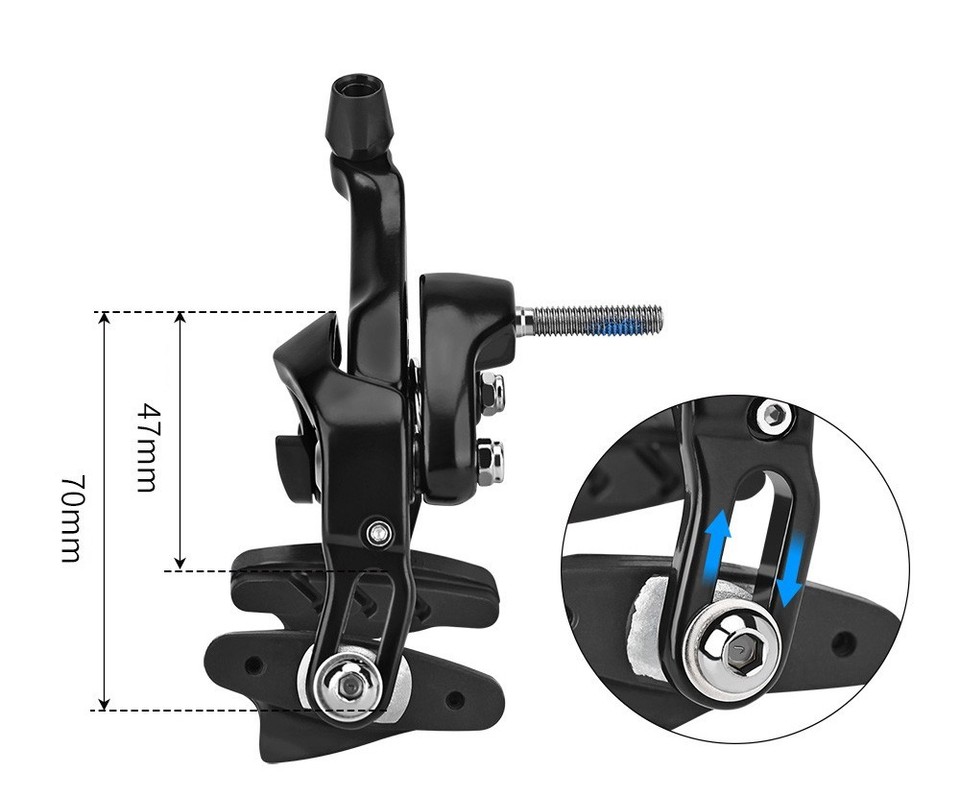
Cable Brake Groupsets are compatible with rim brakes, V-brakes, U-clamps, and pull-cable disc brakes.
Hydraulic Disc Brake Groupset uses mineral oil, designed for Shimano's hydraulic brake system, compatible with L04C, L05A, and L04A brake pads.
What is the length of brake cables? Are they standard mechanical brake lines?
Our EDS TX/GEX Cable Brake Groupsets use standard mechanical disc brake cables, widely available in the market. Each set includes two brake cables. The length should be sufficient for most bikes.


