
How to Update WHEELTOP EDS Firmware: Step-by-Step Guide (App v2)
A step-by-step guide to updating WHEELTOP EDS derailleur and shifter firmware in the new WHEELTOP app, with current screenshots and what to do if an update stops.
Quick answer: charge the rear derailleur, update the WHEELTOP app, connect to your derailleur, open the firmware upgrade screen and update each component the app lists. Keep the phone next to the bike until the progress bar finishes, then reconnect and check your gears.
Why Firmware Updates Matter
WHEELTOP improves EDS through firmware. The August 2026 release, for example, added real-time per-gear fine-tuning on the rear and front derailleur, cut the front derailleur return delay from 2 seconds to 1 second, and lowered thumb shifter power draw. See what changed in app v2 and the firmware.
Before You Start
- Update the WHEELTOP app to the latest version from the App Store or Google Play.
- Charge the rear derailleur with the magnetic charging cable.
- Keep your phone close to the bike and stop the screen locking during the update.
Step 1: Open the App and Find Your Derailleur
Open the app and start a search. Your derailleur appears in the device list; tap it to connect.
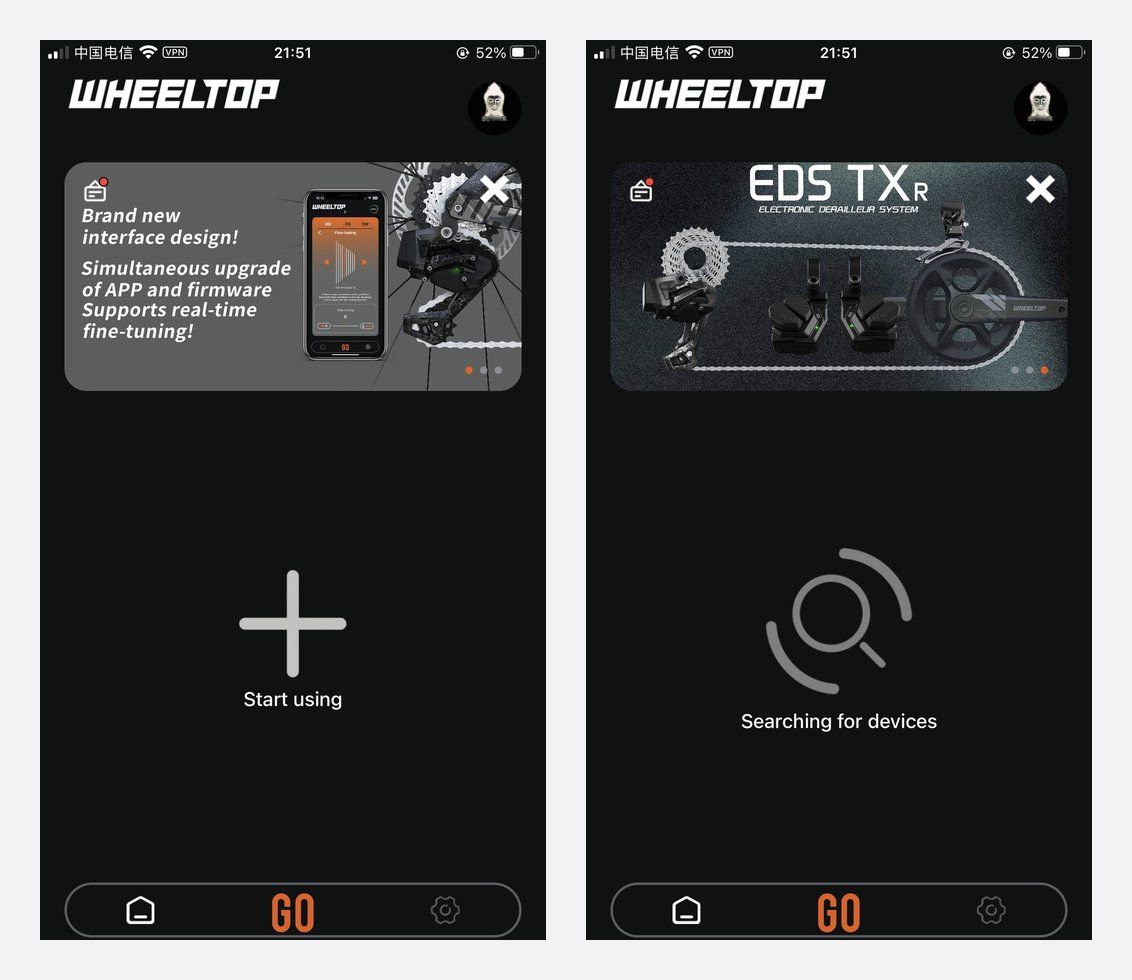
Step 2: Connect and Check the Installed Version
Once connected, the device screen shows your rear derailleur, front derailleur and shifters. Open the firmware upgrade screen: it lists the installed version next to the latest one.
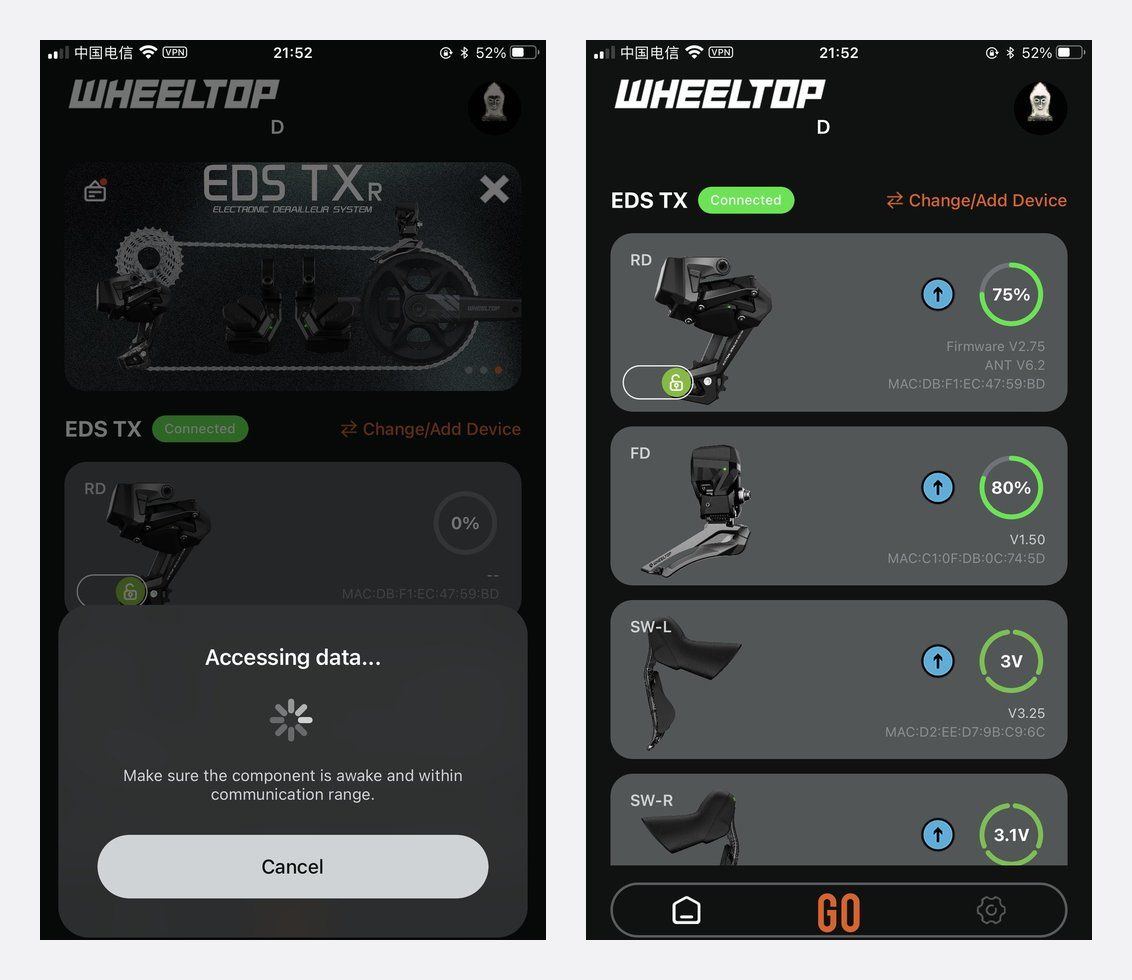
Step 3: Run the Update
Tap upgrade and wait. The app pushes the firmware over Bluetooth and shows the progress. Some models list several firmware channels (on GeX: rear derailleur, ANT+, right shifter and left shifter), so update each one in turn.
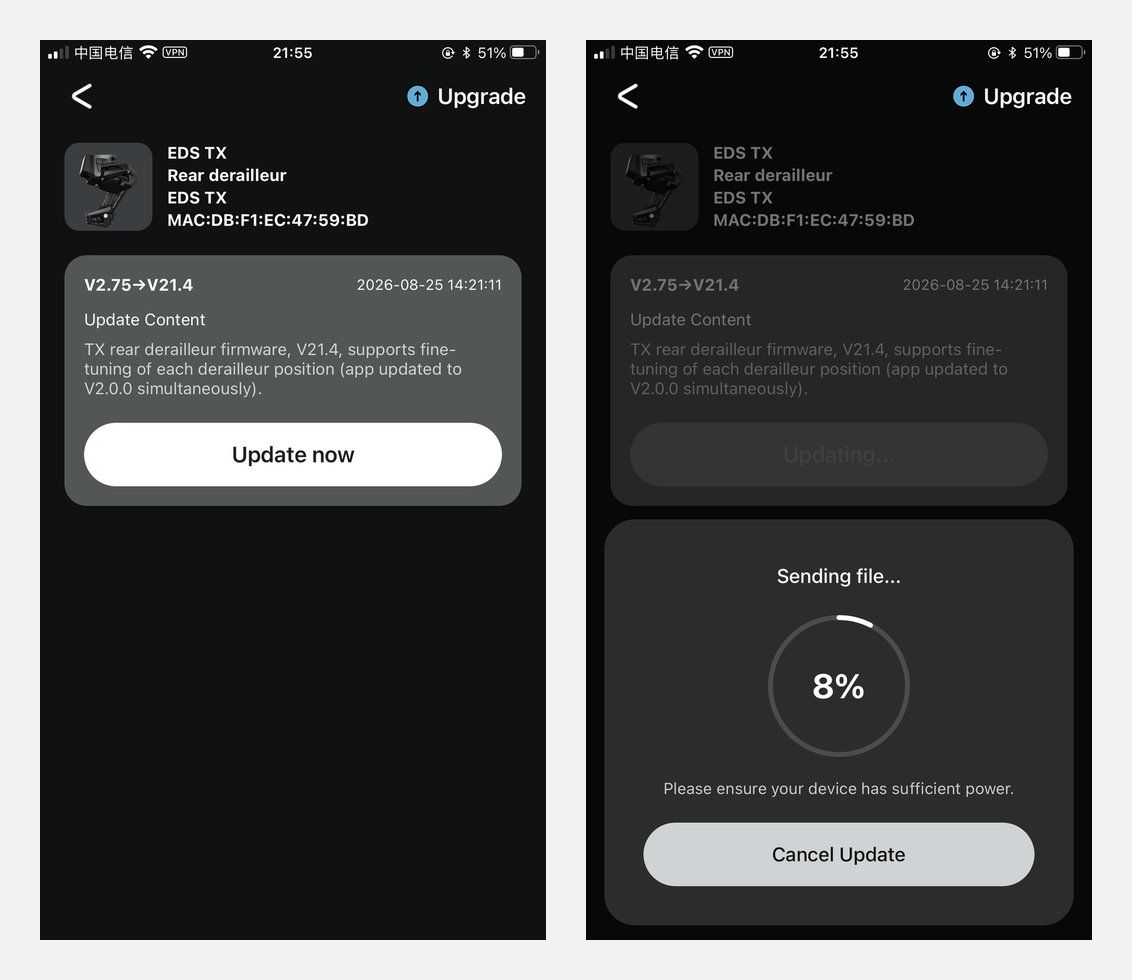
Step 4: Reconnect and Check Your Gears
When the update finishes, reconnect and confirm the new version. Then shift through the whole cassette. If one gear is not quite right, use per-gear fine-tuning in the app rather than turning screws.
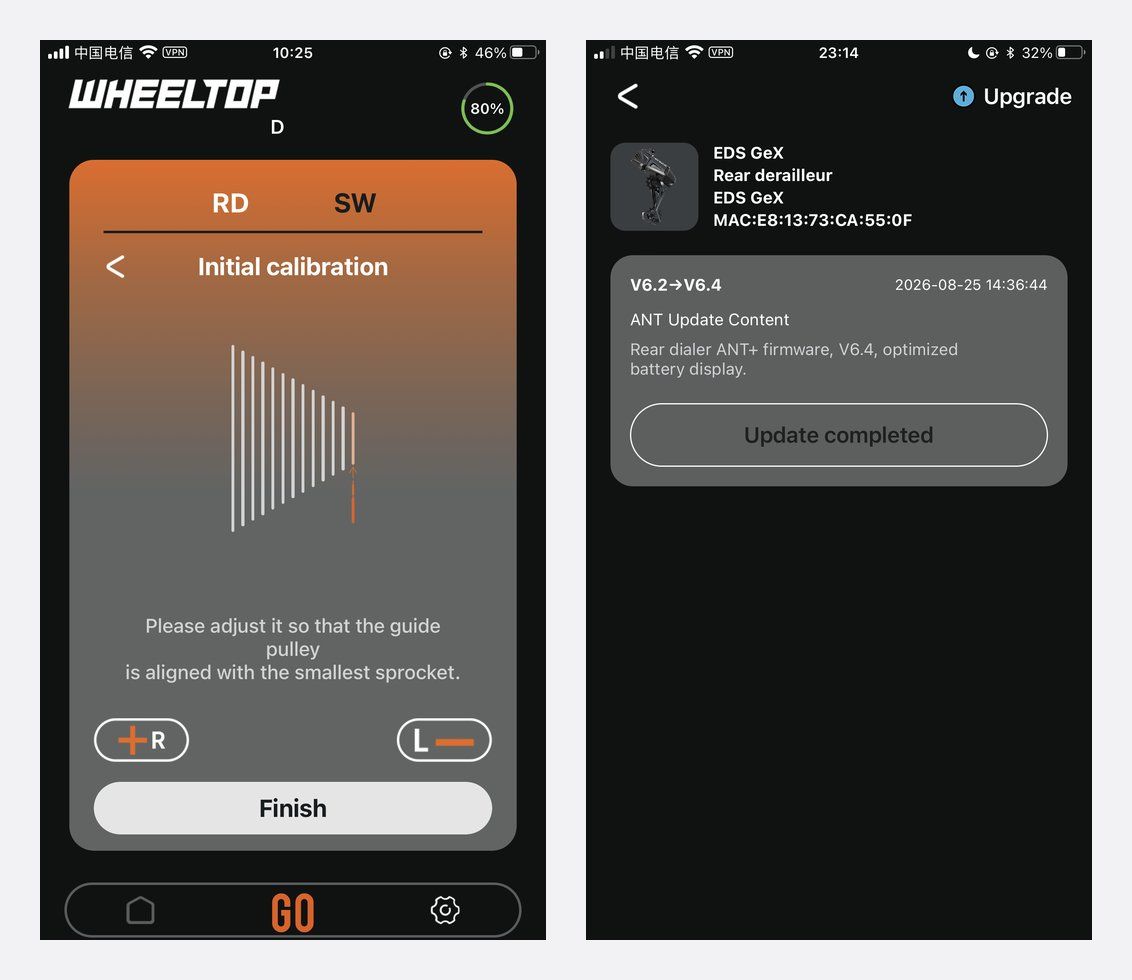
If an Update Stops Part-Way
- Move the phone closer to the bike and keep the app in the foreground.
- Charge the derailleur, then close and reopen the app, reconnect and run the update again.
- Still stuck? See the WHEELTOP troubleshooting guide or contact Aoeagle support with your model and the version shown in the app.
FAQ
How do I know if there is new firmware?
Connect to your derailleur and open the firmware upgrade screen; the app shows the installed and latest versions.
Do I update the shifters too?
Yes, if the app lists them. Shifters have their own firmware channels.
Should the app and firmware match?
Yes. WHEELTOP recommends updating both together; some features, such as per-gear fine-tuning, need both.
Do I need to recalibrate after an update?
Check every gear after the update. Fine-tune any gear that is off, or run calibration as shown in the app setup guide.
Shop WHEELTOP EDS
Find your model: the EDS TX road groupset, the EDS GeX gravel groupset or the EDS OX 2.0 MTB rear derailleur. All come with a 1-year warranty on the electronic shifting components.


