
WHEELTOP App Setup Guide (2026): Pair, Calibrate and Fine-Tune EDS
How to set up WHEELTOP EDS in the current WHEELTOP app (v2): wake, pair, set your cassette speed, calibrate, fine-tune and update firmware.
Quick answer: to set up WHEELTOP EDS, charge or briefly connect each part to its magnetic charger to wake it, install the WHEELTOP app, tap Start using to find your components over Bluetooth, then set your cassette speed, run the initial calibration and fine-tune each gear. Finish by checking for a firmware update. This guide uses the current app (version 2.x, with the new orange interface) and applies to EDS TX, GeX and OX 2.0.
Before You Start: What You Need
- Your WHEELTOP EDS derailleur(s) and shifters, installed on the bike (TX installation guide)
- The magnetic charging cable that ships with the derailleur
- A phone with Bluetooth turned on
- The bike on a stand, so you can turn the cranks during calibration
Parts ship switched off. Attach the magnetic charging cable for a moment to wake each derailleur before you open the app.
Step 1: Install the WHEELTOP App
Search for "WHEELTOP" in the Apple App Store or Google Play and install the official app. Version 2.0, released in August 2026, introduced a brand-new interface and real-time fine-tuning of each gear. If your app still shows a blue interface, update it before continuing.
Step 2: Pair Your Components Over Bluetooth
Open the app and tap Start using. The app searches for nearby EDS components and lists what it finds. Select your parts and tap Finish; the app then connects automatically.
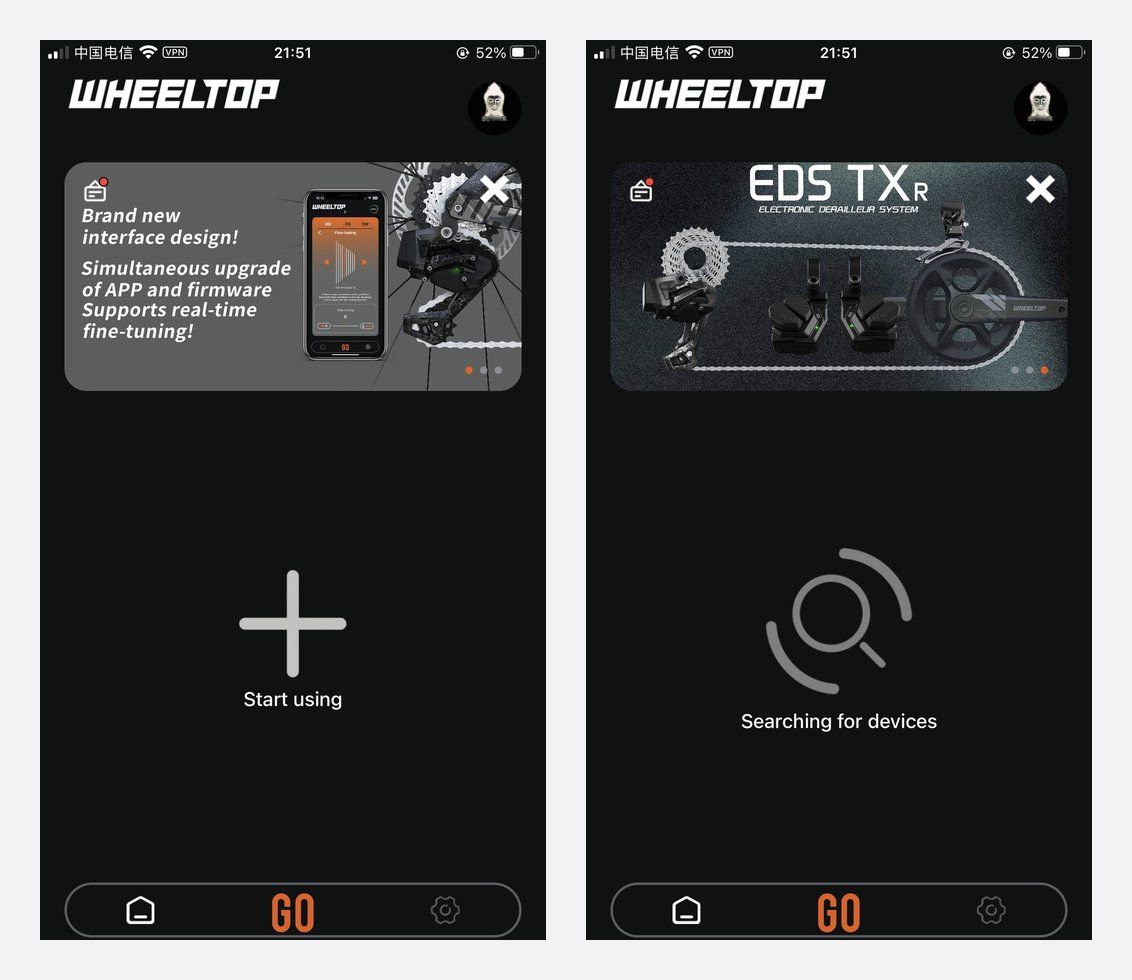
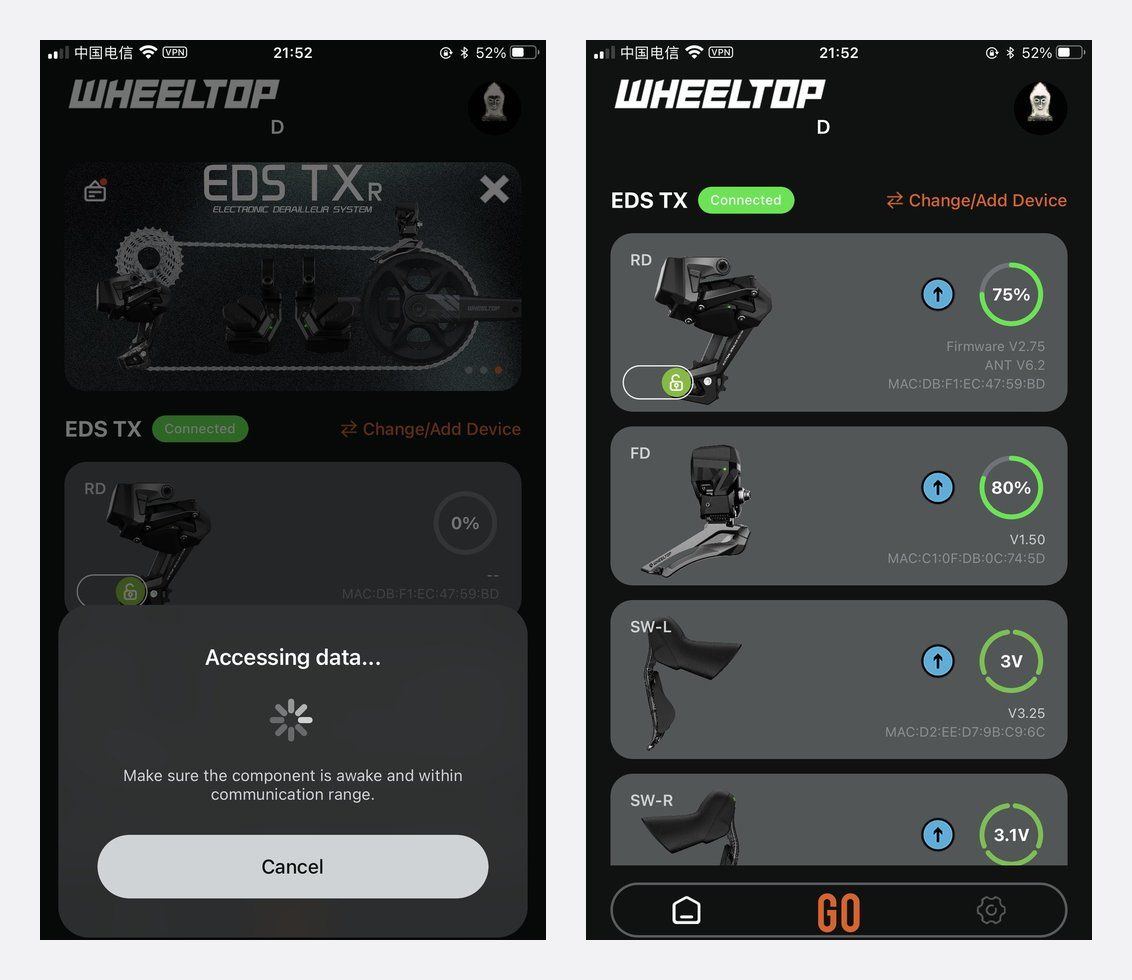
Once connected, the home screen shows each component with its live battery level. Check it before every ride.
Step 3: Set Your Cassette Speed
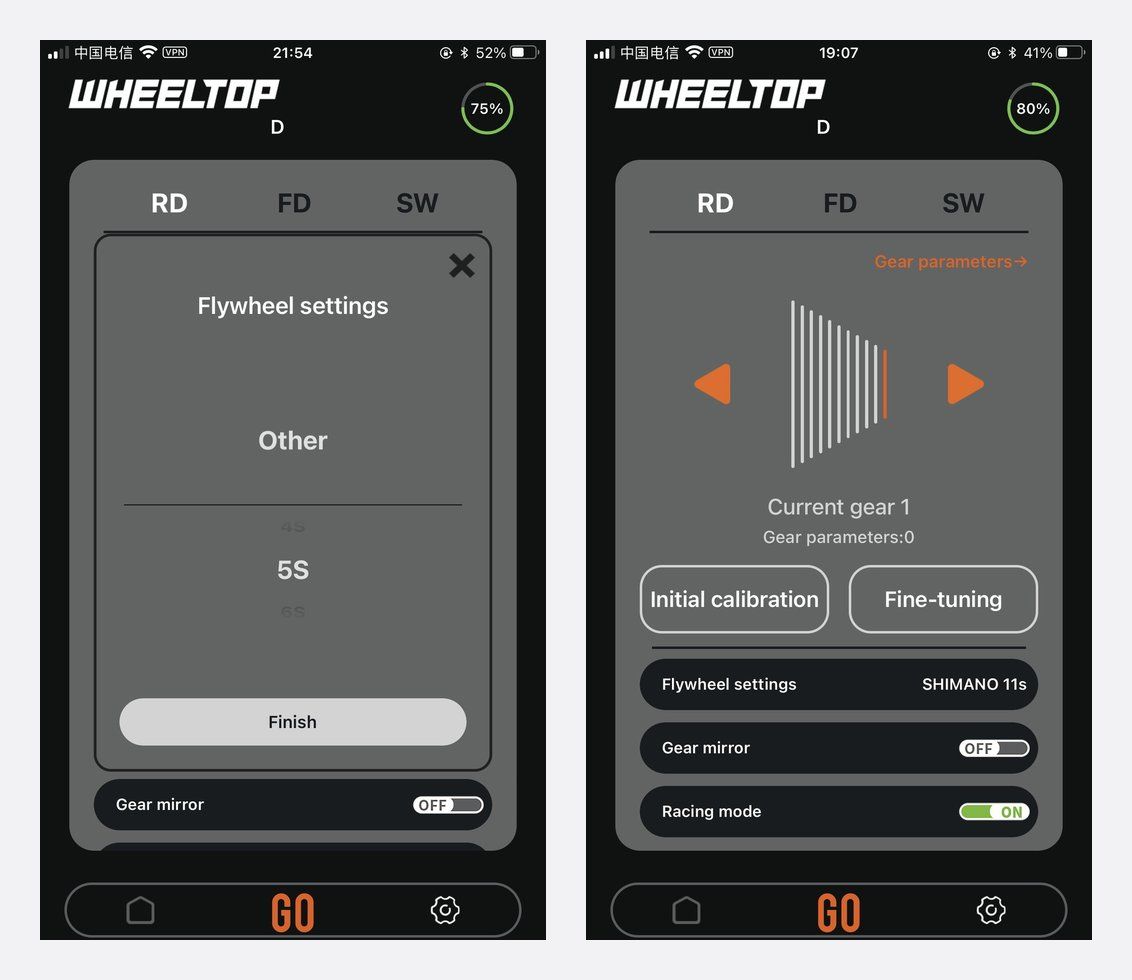
Open the speed setting and choose the speed count of the cassette you run. EDS is set up in software, so the same derailleur can index different speed counts: TX supports 7–14 speed, OX 2.0 and GeX support 3–14 speed.
Step 4: Run the Initial Calibration
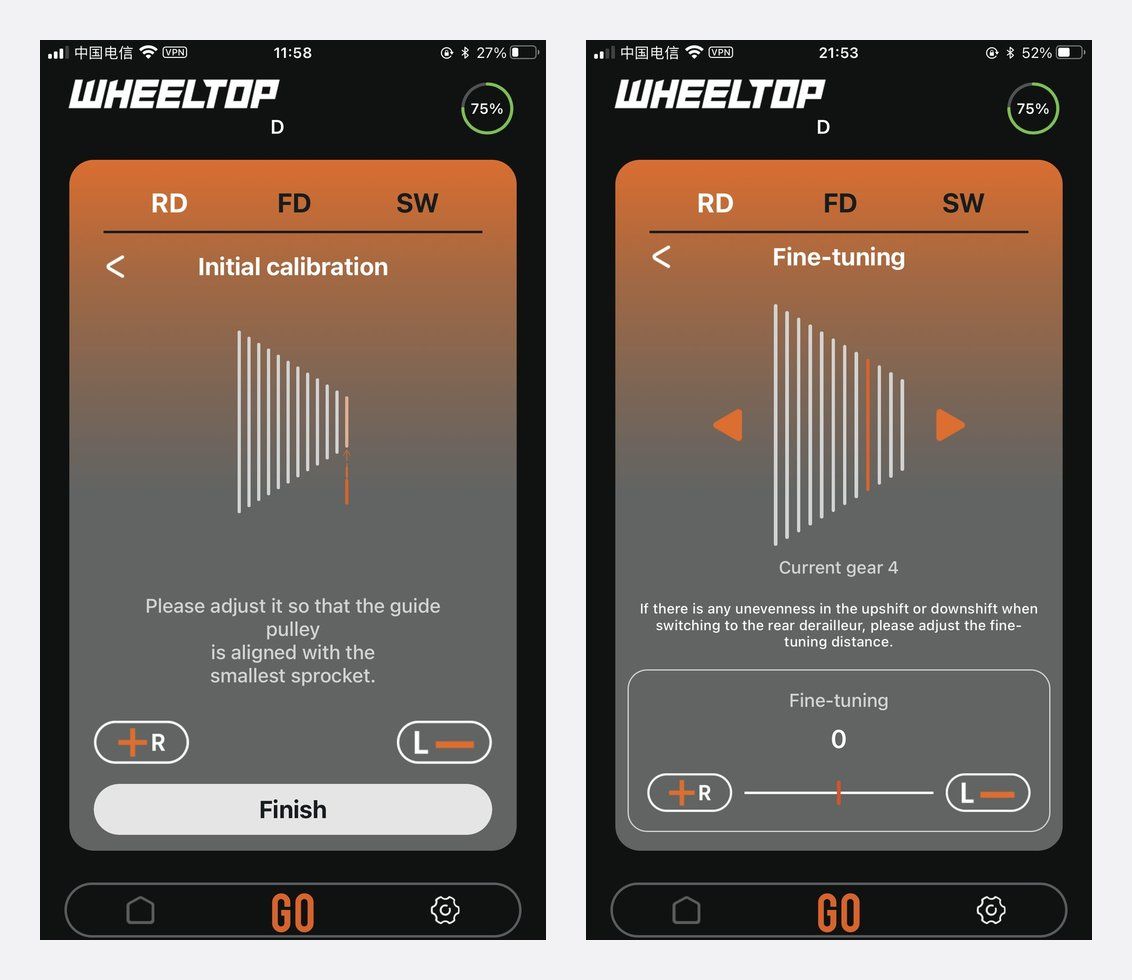
In the RD tab, open Initial calibration and follow the on-screen steps while turning the cranks. This sets the derailleur's end positions for your cassette. If you also run a TX front derailleur, calibrate it in the FD tab.
Step 5: Fine-Tune Each Gear
Use Fine-tuning to adjust the position of individual gears in real time until every shift runs quietly. Change one gear at a time and test it before moving on.
Step 6: Choose a Shift Mode and Check Firmware
The app lets you switch between Standard and Race mode. Then open the firmware screen and install any update the app offers. Keep the phone close and do not close the app while an update is running.
For details on the latest release, read WHEELTOP App v2 and firmware update notes and our firmware update guide.
If Something Goes Wrong
If the app cannot find a component, wake it with the charger again and keep the phone close to the bike. If shifting is noisy after setup, repeat calibration and fine-tuning. Our WHEELTOP troubleshooting guide covers common problems.
FAQ
Which WHEELTOP models does the app support?
The WHEELTOP app is used to set up EDS TX, TX front derailleur, GeX and OX 2.0, as well as the TXR and triathlon (TT) versions.
Why can't the app find my derailleur?
New parts ship switched off. Attach the magnetic charging cable briefly to wake the derailleur, make sure Bluetooth is on, then tap Start using again.
Do I need to calibrate again after changing my cassette?
Yes. Set the new speed count in the app, then run the initial calibration and check fine-tuning.
How do I see battery level?
The app's home screen shows the live battery level of each connected component.
Shop WHEELTOP EDS
Browse WHEELTOP EDS TX, WHEELTOP EDS GeX and the WHEELTOP EDS OX 2.0 rear derailleur. Our 1-year warranty covers the electronic shifting components.


