
WHEELTOP EDS Troubleshooting Guide: Fix Pairing, Shifting and Battery Problems
Practical fixes for the most common WHEELTOP EDS problems: the app can't find the derailleur, shifting is noisy or skips, and battery questions.
Quick answer: most WHEELTOP EDS problems have one of three causes: the part is asleep or low on battery, the app is out of date, or the derailleur needs recalibration after a wheel, cassette or hanger change. Wake the part with its magnetic charger, update the WHEELTOP app, re-pair with Start using, then run the initial calibration and fine-tune. The steps below go through each symptom.
Problem 1: The App Can't Find or Connect to the Derailleur
- Attach the magnetic charging cable briefly. Parts ship switched off and need to be woken.
- Check that Bluetooth is on and the phone is next to the bike.
- Update the WHEELTOP app. Version 2.x has a new orange interface; if yours is blue, it is out of date.
- Close and reopen the app, then tap Start using to search again.
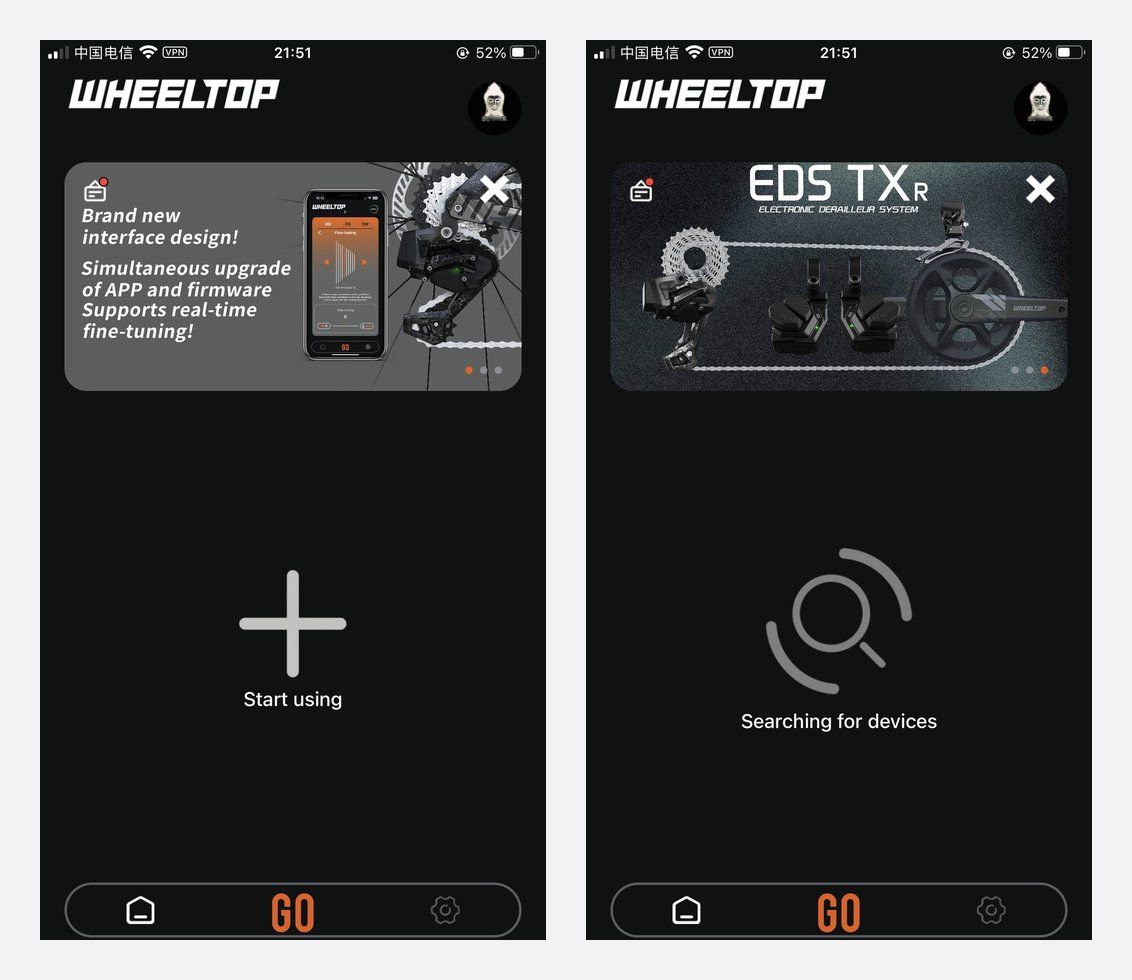
If the part is still not found, charge it fully and try again, then contact us with your order number and model.
Problem 2: Shifting Is Noisy, Slow or Skips Gears
Start with the mechanics: make sure the derailleur hanger is straight, the wheel is seated properly and the chain is the right length. Then recalibrate in the app.
- Check the speed setting matches your cassette.
- Run Initial calibration in the RD tab.
- Use Fine-tuning to adjust any gear that is noisy, one gear at a time.
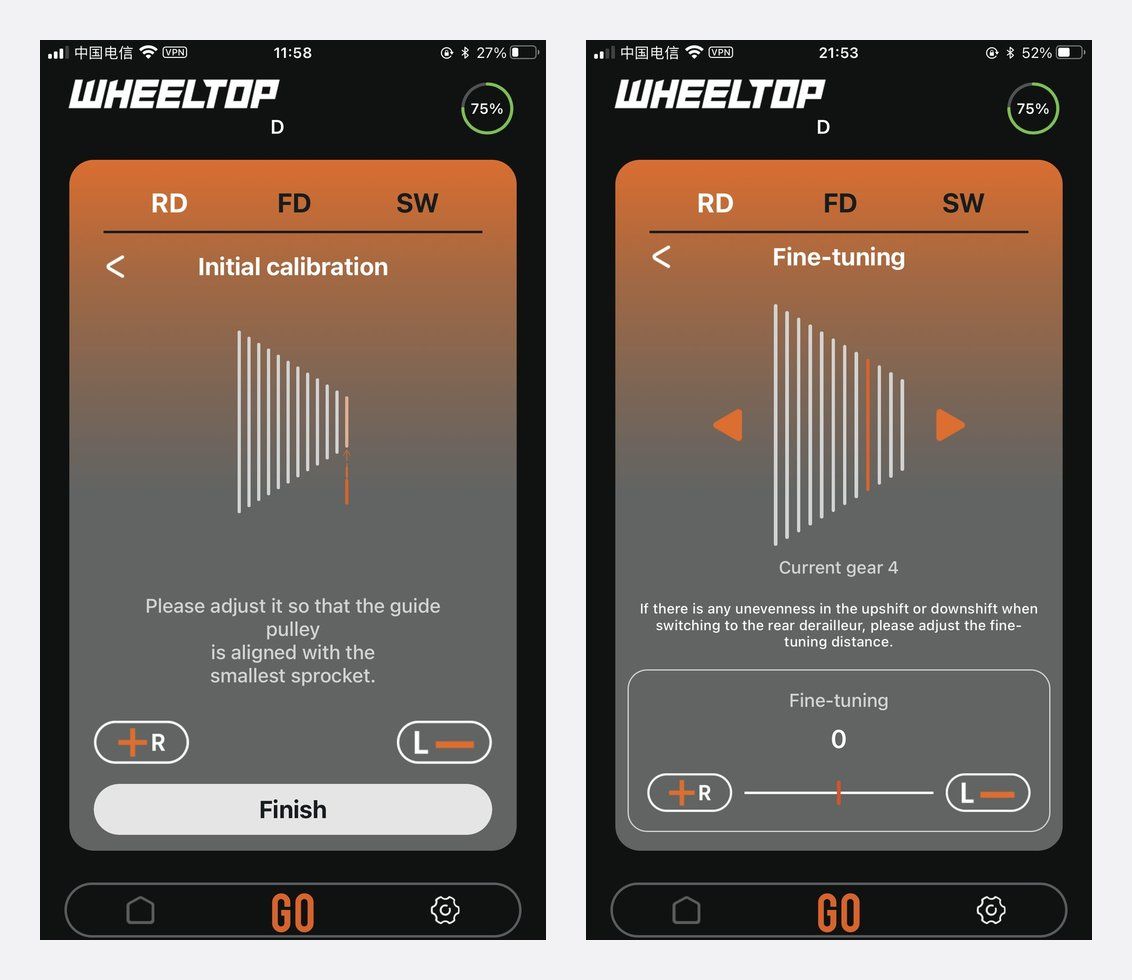
Always recalibrate after changing the cassette, wheel or derailleur hanger. Our installation common mistakes article lists the setup errors we see most.
Problem 3: Front Derailleur Doesn't Shift Cleanly (TX)
Calibrate the TX front derailleur in the FD tab after the rear is set up. Check the FD height and angle against the TX installation guide.
Problem 4: Battery Drains Fast or Won't Charge
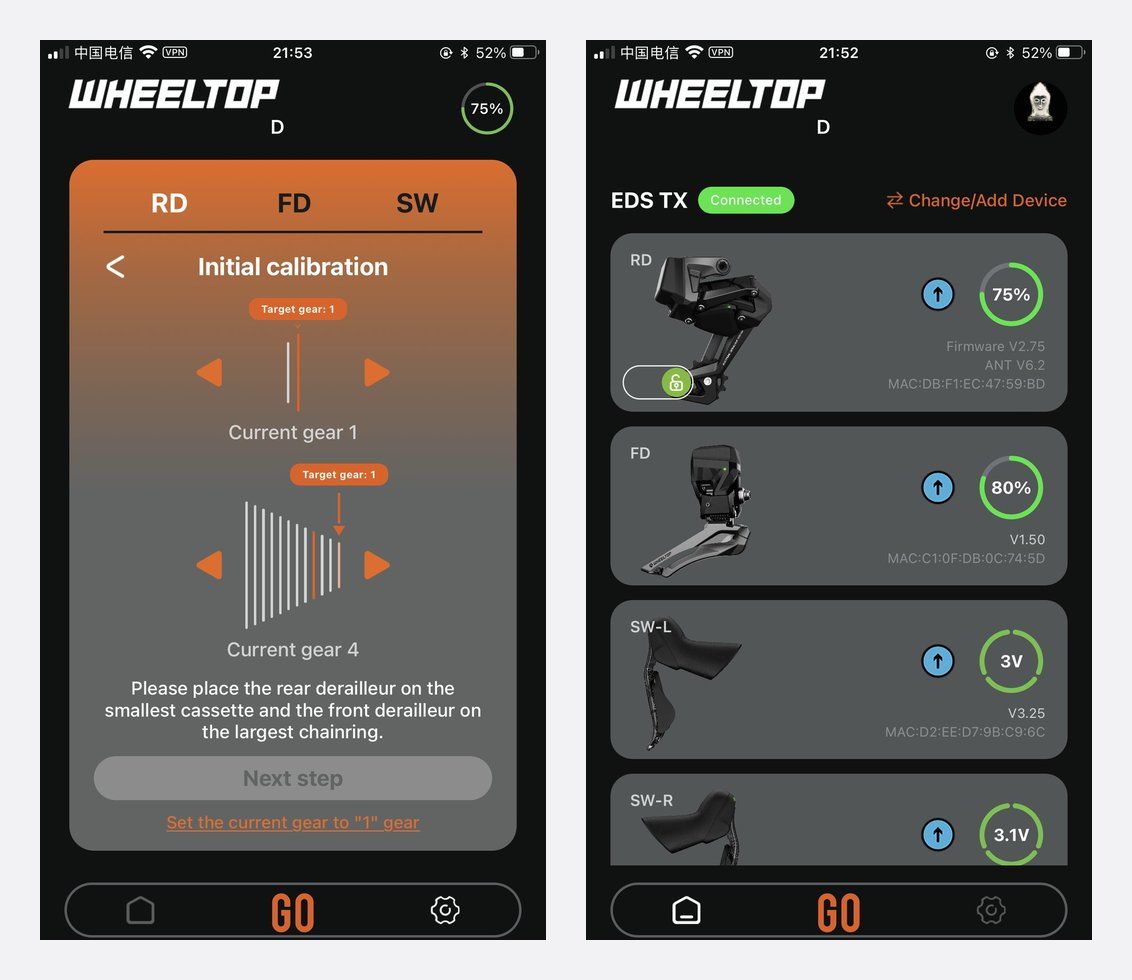
The home screen shows the live battery level of each part. Make sure the magnetic connector and contacts are clean and dry and that the cable snaps fully into place. OX 2.0, GeX and TX rear derailleurs use an 800mAh 7.4V (5.92Wh) battery; the TX front derailleur uses 500mAh 7.4V (3.7Wh). See the battery life guide for more.
Problem 5: Firmware Update Fails
Keep the phone close, make sure the component is charged, and do not leave the app while it updates. If it fails, restart the app and try again. See the firmware update guide.
When to Contact Support
If a problem remains after charging, updating, re-pairing and recalibrating, contact us with your order number, model and a short video of the problem. Our 1-year warranty covers the electronic shifting components; see how to make a warranty claim.
FAQ
Why does my WHEELTOP derailleur not show up in the app?
It is most likely asleep. Attach the magnetic charger briefly to wake it, turn on Bluetooth and tap Start using.
Do I need to recalibrate after changing wheels?
Yes. A different wheel or cassette can move the gear positions slightly. Run the initial calibration and check fine-tuning.
My app looks different from the screenshots. Why?
The app was redesigned in version 2.0 (August 2026). Update to the latest version from the App Store or Google Play.
Is WHEELTOP EDS waterproof?
WHEELTOP EDS derailleurs are IP67 rated. Still keep the charging contacts clean and dry before charging.
Shop WHEELTOP EDS
Find parts for WHEELTOP EDS TX, GeX and OX 2.0, plus the OX 2.0 / GeX replacement battery.


