
How to Install the WHEELTOP EDS TX Wireless Rear Derailleur
Step-by-step installation of the WHEELTOP EDS TX wireless rear derailleur, from compatibility checks to app calibration and fine-tuning.
Quick answer: check your cassette (7–14 speed, 10–36T), remove the old derailleur, mount the EDS TX rear derailleur on a straight hanger, fit the chain, charge it, then pair and calibrate in the WHEELTOP app. Finish with per-gear fine-tuning.
Before You Start
- Cassette: 7–14 speed, 10–36T.
- Shifters: WHEELTOP wireless levers (rim brake or disc brake).
- Tools: hex keys, a chain tool and your phone with the WHEELTOP app.
- Read the compatibility guide.
Step 1: Remove the Old Derailleur
Shift to the smallest sprocket, remove the old shift cable if there is one, then unbolt the old derailleur. Check the hanger is straight; a bent hanger affects every shift.
Step 2: Mount the TX Rear Derailleur
Mount the derailleur on the hanger and tighten it. Fit and size the chain for your chainrings and cassette.
Step 3: Check Limits and Chain Line
Shift through the range and make sure the chain cannot go past the smallest or largest sprocket. Follow the limit setting in the TX manual.

Step 4: Charge the Derailleur
Charge with the magnetic charging cable. The TX rear derailleur has a built-in 800mAh 7.4V (5.92Wh) battery, rated by WHEELTOP for 20,000+ shifts per charge.
Step 5: Pair and Calibrate in the App
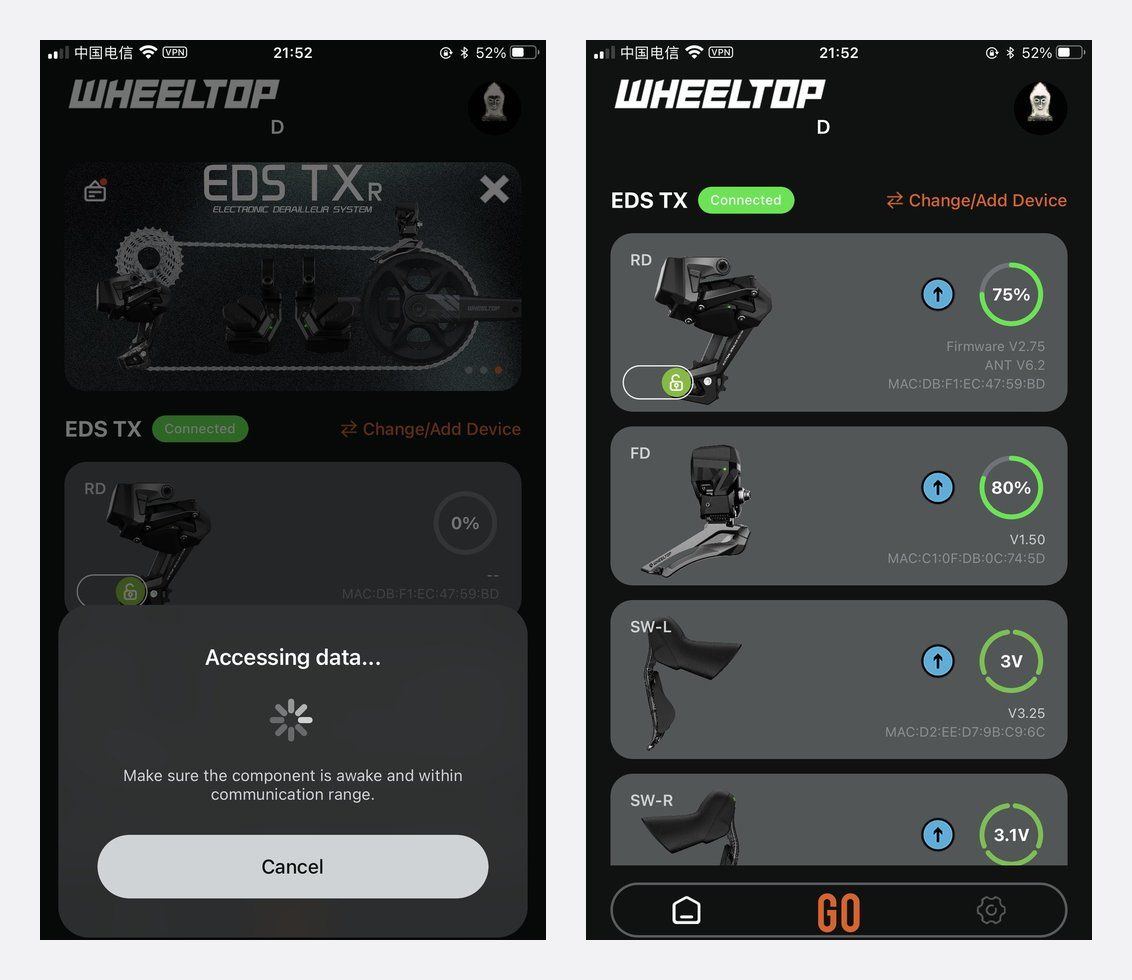
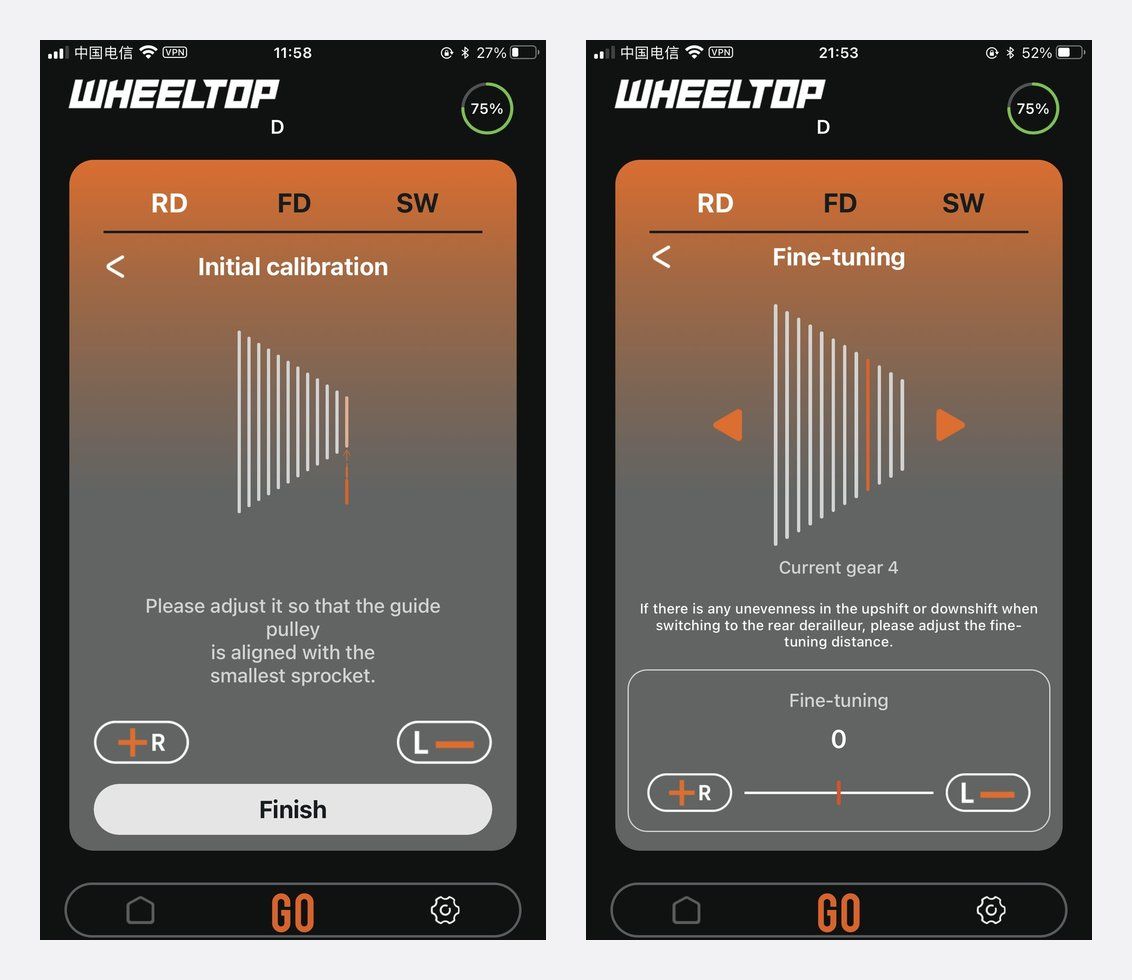
Open the WHEELTOP app, search, connect to your derailleur, set the cassette speed and run calibration.
Step 6: Fine-Tune Each Gear
Shift through every gear on a stand. Use per-gear real-time fine-tuning in the app for any gear that is noisy or slow. Pick Standard or Racing mode.
Full app steps: WHEELTOP app setup guide. Fitting the whole 2x groupset? See the road bike setup guide. Problems after install? See installation mistakes to avoid.
FAQ
What cassette does EDS TX support?
7–14 speed, 10–36T.
Can I use TX on a flat-bar bike?
For flat bars, see EDS TXR (2x) or EDS TXF (1x, including folding bikes).
Is the TX rear derailleur waterproof?
Yes, the derailleur is IP67 rated; shift levers are IP65.
Do I need to update firmware?
Check for firmware in the app after pairing. See the firmware update guide.
Shop
WHEELTOP EDS TX rear derailleur · full EDS TX groupset. 1-year warranty on the electronic shifting components.


